Best Buffer Alternative for Creators & Teams
Buffer is a reliable, simple scheduler. Postprism adds AI that rewrites every post for each platform's tone, format, and algorithm, so you publish the right version everywhere instead of the same text. Below we compare both on pricing, platform support, team features, and workflow, so you can see which one fits how you actually post.

Which one is right for you?
Buffer is a solid choice if you:
Need a proven, battle-tested scheduling tool with minimal learning curve
Primarily post to one or two platforms with similar content styles
Prefer per-channel pricing if you manage only a handful of accounts
Already rely on Buffer's link-in-bio or Start Page product
Postprism is the better fit if you:
Publish to 3+ platforms and want content adapted for each one automatically
Are tired of manually rewriting the same post for LinkedIn vs. Twitter vs. Instagram
Want flat pricing that doesn't penalise you for connecting more accounts
Need a visual pipeline (calendar + kanban) alongside scheduling
Run an agency or team that needs role-based access and approval flows
Postprism vs Buffer
Feature

Postprism

Buffer
Pricing
Solo from $19/month, all 8 platforms, unlimited posts
Solo $19/month, Freelancer $49/month, Agency $99/month paid
Solo from $19/month, all 8 platforms, unlimited posts
Free, 3 channels, 10 scheduled posts per channel
Essential $6/channel/month, Team $12/channel/month (billed annually) paid
Best for
Creators, teams, and agencies publishing to several platforms who want each post adapted automatically
Solo creators and small teams posting to one or two profiles with similar content
AI content adaptation per platform
Automatically rewrites your content for Facebook, Instagram, Twitter/X, LinkedIn, TikTok, YouTube, and more, each in the platform's appropriate tone and format
No AI content adaptation. Content is posted as-written to each platform with manual customisation required
Pricing
Solo $19/month. Freelancer $49/month. Agency $99/month
No meaningful free tier for teams. Essential at $6/channel/month (billed annually), scaling with each added channel
Platforms supported
LinkedIn, Twitter/X, Instagram, Facebook, TikTok, YouTube, Bluesky, and Pinterest, 8 platforms with full publishing support
LinkedIn, Twitter/X, Instagram, Facebook, Pinterest, TikTok, YouTube, Mastodon, 8 platforms
Content calendar view
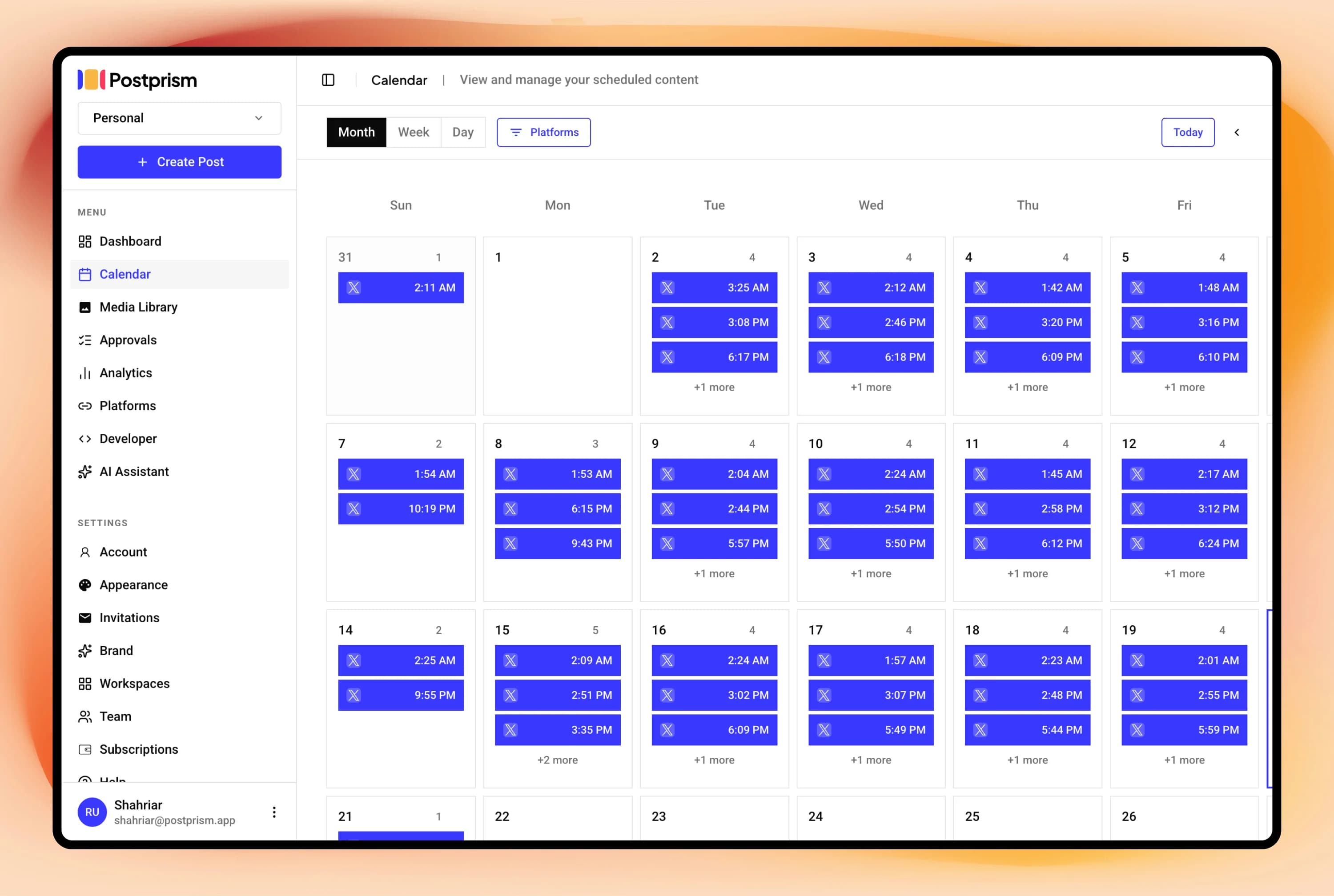
Full calendar (month, week, day views) with drag-and-drop rescheduling and kanban board for pipeline management
Calendar view available on paid plans with standard drag-and-drop
Post scheduling
Full scheduling with automatic publishing to all connected platforms simultaneously. Posts queue with retry logic, no manual follow-up needed
Schedule individual posts and bulk scheduling via CSV on higher plans
Analytics
Per-post and platform engagement metrics on Solo and above. 90-day history on Freelancer. Full history with CSV export on Agency
Buffer Analyze is a separate paid product. Inline analytics available on Essentials and above
Bulk scheduling
Content queue management via calendar and kanban views. CSV bulk import is planned for Freelancer and Agency plans
Bulk scheduling via CSV available on paid plans
Multi-user and team support
Workspaces with Owner, Admin, Editor, and Viewer roles. Up to 3 members on Freelancer ($49/mo). Up to 10 members on Agency ($99/mo) with multi-level approval workflows
Team collaboration available on Team and Agency plans at higher price points
Schedule everything, post everywhere
- Schedule to 9 platforms
- One content calendar
- AI adapts every post
Built for creators and teams
Independent reviews
What users say about Buffer
Ratings from independent review platforms, not from us.
Buffer ratings
Trustpilot
2.1/5
93 reviews
View reviewsG2
4.3/5
1,023 reviews
View reviews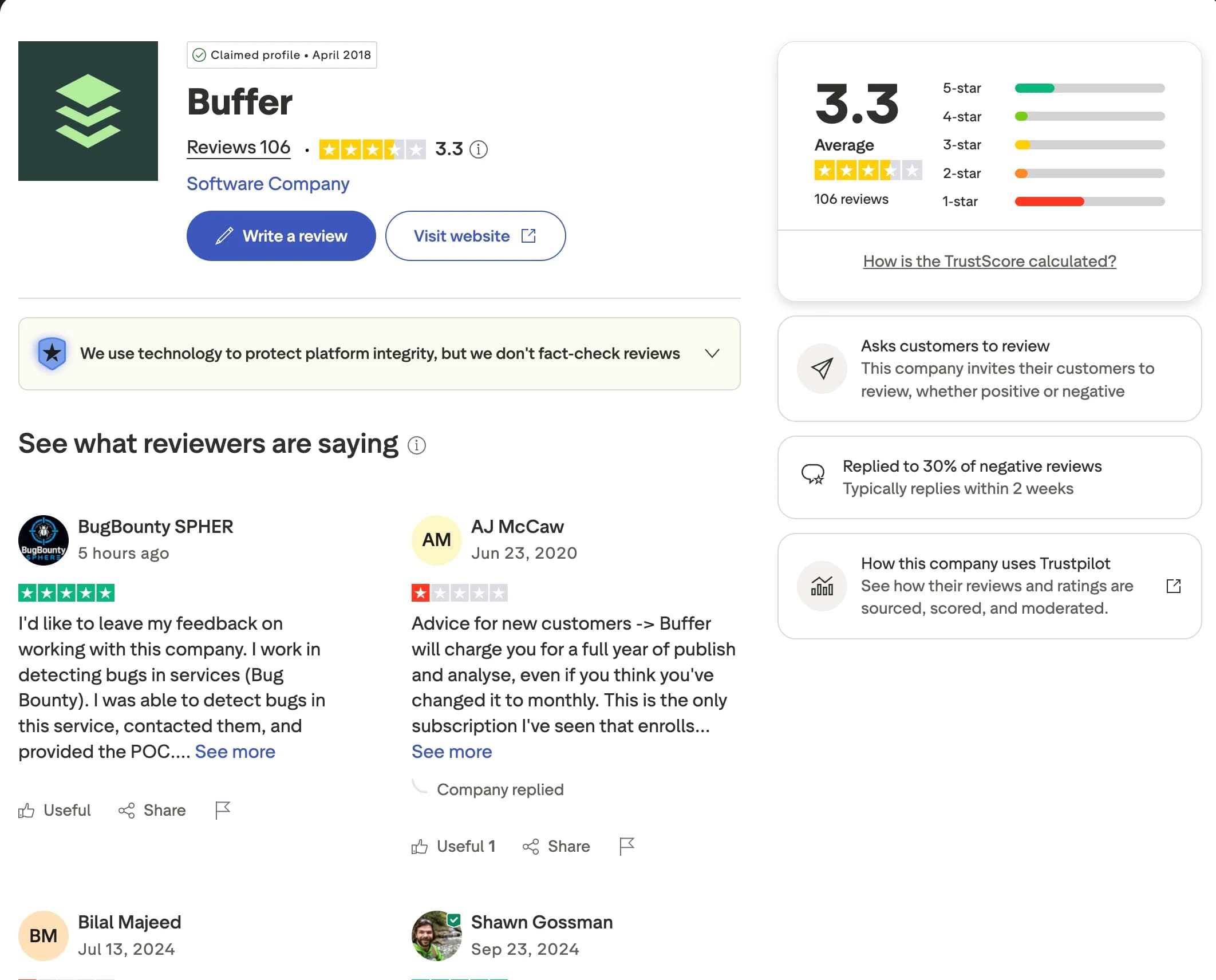
Why users switch from Buffer
Buffer is a reliable scheduler for individuals managing one or two profiles. As you add channels and grow a team, its per-channel pricing and lack of platform-specific content adaptation start to show. Here are the most common reasons creators, marketers, and agencies look for an alternative.
Per-channel pricing adds up
Buffer charges per channel, so connecting more accounts steadily raises your bill. Postprism uses flat workspace pricing (Solo $19, Freelancer $49, Agency $99) so you can connect across all 8 platforms without your cost climbing with every new account.
No per-platform content adaptation
Buffer posts the same text to every platform, leaving you to rewrite manually for each one. Postprism uses AI to adapt a single message into the right tone, length, and format for LinkedIn, Twitter/X, Instagram, and the rest before it publishes.
Analytics is a separate paid product
Buffer Analyze is sold separately and is not included in the base plans. Postprism includes per-post and platform engagement metrics from Solo upward, with longer history on Freelancer and CSV export on Agency.
Limited team collaboration on lower tiers
Buffer reserves richer collaboration for higher plans. Postprism builds in team roles (Owner, Admin, Editor, Viewer) and approval workflows from the Freelancer plan, so small teams and agencies can review and sign off on posts without upgrading to enterprise pricing.
You can also read what real users think in Buffer reviews on G2.
Postprism vs Buffer: Pros & Cons
Buffer
Pros
Clean, simple interface, easy to onboard
Reliable scheduling with a long track record
Good mobile app experience
Start Page link-in-bio tool included
Cons
Per-channel pricing adds up quickly for multi-account users
No AI content adaptation, same text posted to all platforms
Buffer Analyze is a separate paid product, not included
Limited team collaboration on lower tiers
Postprism
Pros
AI rewrites content for each platform's tone, format, and algorithm
Flat workspace pricing, connect more accounts without cost explosion
Calendar and kanban views for full pipeline visibility
Team roles and approval workflows built in from Freelancer plan
8 platforms with full publishing support
Cons
Newer product, smaller ecosystem of integrations vs. Buffer
CSV bulk scheduling planned but not yet released
No link-in-bio product
Who Should Use Buffer vs Postprism?
Buffer is best for:
Individuals scheduling content to 1–2 platforms
Teams that need a simple, proven tool with minimal setup
Users who want a link-in-bio product alongside scheduling
Businesses on Buffer's existing paid plans already happy with it
Postprism is best for:
Creators and teams publishing across 3–8 platforms
Anyone who wants AI to handle platform-specific content adaptation
Agencies managing multiple clients who need role-based access
Teams that want visual pipeline management (calendar + kanban)
Businesses looking to scale accounts without per-channel cost creep
Content Calendar
One calendar. All your posts.
See every scheduled post across all platforms in a single calendar. Month, week, and day views let you spot gaps, drag-and-drop to reschedule, and plan campaigns without switching between tools.
Try it free
AI Content Adaptation
Create once. Publish everywhere, adapted.
Write your core message once. Postprism rewrites it for each platform before publishing: professional on LinkedIn, punchy on Twitter/X, hashtag-optimised on Instagram. No more manual copy-paste rewrites.
Try it free
Team Collaboration
Roles, approvals, and workspaces.
Invite your team with Owner, Admin, Editor, or Viewer roles. Set up approval workflows so nothing gets published without sign-off. Built for agencies managing multiple client workspaces.
Try it free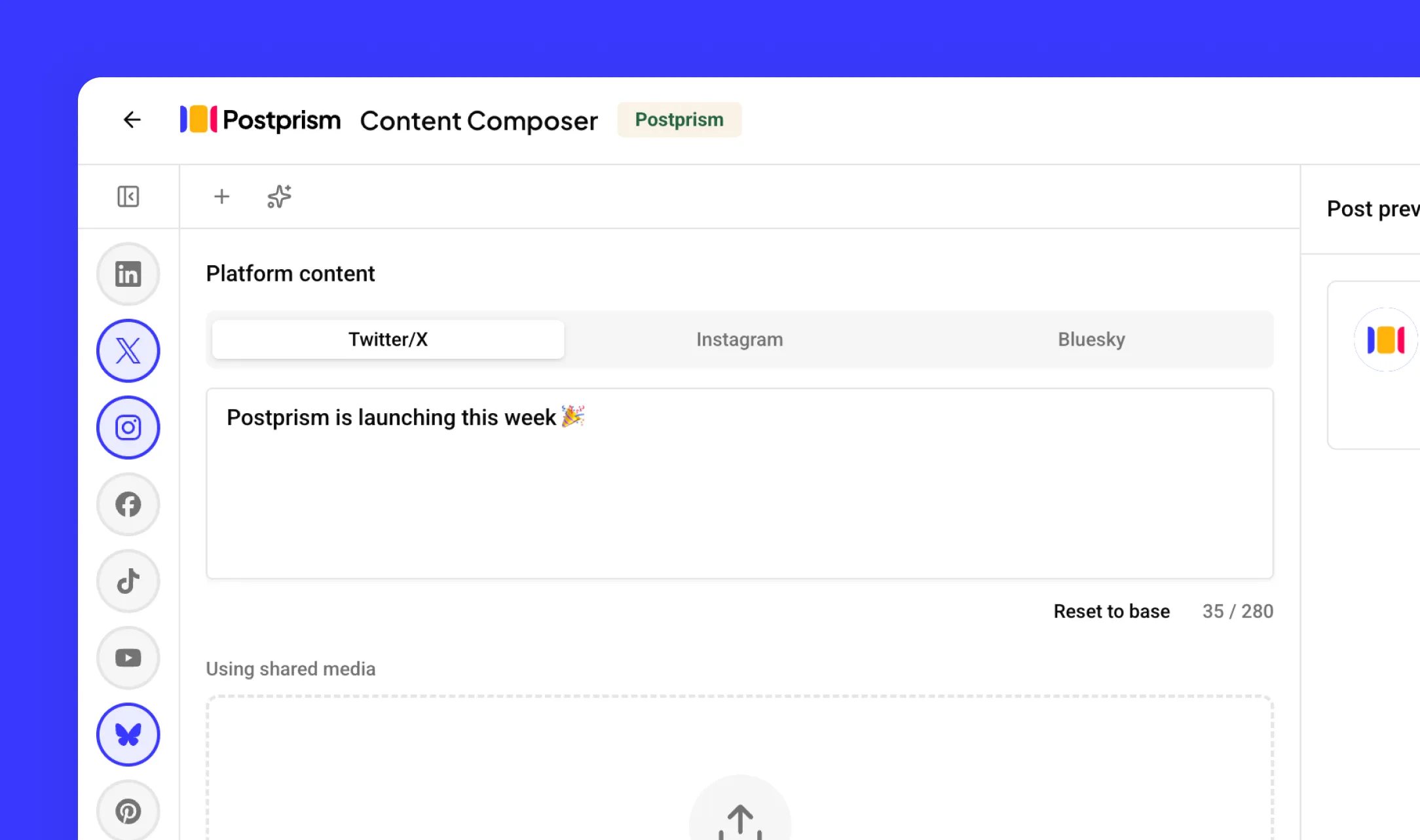
How to Switch from Buffer to Postprism
Moving your social media workflow takes minutes, not days.
Create your Postprism workspace
Sign up at studio.postprism.app. Create a workspace for yourself or your team. The setup wizard walks you through account configuration in under 5 minutes.
Connect your social accounts
Go to Settings > Platforms and connect each social account via OAuth. Postprism supports LinkedIn, Twitter/X, Instagram, Facebook, TikTok, YouTube, Bluesky, and Pinterest.
Recreate or import your upcoming posts
Re-schedule any upcoming Buffer posts in Postprism's calendar. Type or paste your content once, the AI adapts it per platform before you schedule.
Cancel Buffer when you are ready
Once your workflow is running smoothly in Postprism, cancel your Buffer subscription from their billing page. No data is lost on your side.
Learn More About Buffer
How Buffer Compares to Other Tools
Postprism vs Buffer — frequently asked questions
Compare Postprism to market leaders

Alternative to Hootsuite

Alternative to Later

Alternative to Sprout Social

Alternative to Metricool

Alternative to Publer

Alternative to SocialPilot

Alternative to Planable

Alternative to SocialBee

Alternative to Loomly

Alternative to CoSchedule

Alternative to Agorapulse

Alternative to Sendible

Alternative to Tailwind

Alternative to Zoho Social

Alternative to Iconosquare

Alternative to Vista Social
Make the switch from Buffer
Import your schedule, connect your accounts, and start posting in minutes.