Best Sendible Alternative for Agency Teams
Sendible is built for agencies that need white-label client dashboards and automated reports. Postprism brings AI content adaptation to every platform automatically, with flat workspace pricing that keeps costs predictable as you grow.

Which one is right for you?
Sendible is the right tool if you:
Need white-label client dashboards with your agency branding
Require automated client report generation and scheduled delivery
Post to Pinterest or Google Business as part of client campaigns
Manage clients who expect branded reporting portals
Postprism is the better fit if you:
Want AI to rewrite content for each platform automatically
Need flat workspace pricing that is predictable and scalable
Want a visual calendar and kanban board for pipeline management
Run a team where approval workflows matter more than white-label branding
Want AI-first content optimisation across all 8 platforms
Postprism vs Sendible
Feature

Postprism

Sendible
Pricing
Solo from $19/month, all 8 platforms, unlimited posts
Solo $19/month, Freelancer $49/month, Agency $99/month paid
Solo from $19/month, all 8 platforms, unlimited posts
No free plan, 14-day free trial available
Creator $29/month, Traction $89/month, Scale $199/month paid
AI content adaptation per platform
Automatically rewrites content for each platform before publishing, tone, format, and hashtag style per channel
No AI content adaptation per platform. Content is posted as-written across all connected channels
Pricing
Solo $19/month. Freelancer $49/month. Agency $99/month, flat workspace pricing
Creator at $29/month (1 user, 6 services), Traction at $89/month (4 users, 24 services), Scale at $199/month (7 users, 49 services)
Platforms supported
LinkedIn, Twitter/X, Instagram, Facebook, TikTok, YouTube, Bluesky, and Pinterest, 8 platforms with full publishing support
Facebook, Instagram, Twitter/X, LinkedIn, YouTube, Pinterest, Google Business, and TikTok, 8 platforms
White-label client dashboards
Workspace-based client management with role-based access, no white-label branding available
White-label client dashboards with custom branding, a core agency feature for presenting reports under your own brand
Automated client reports
Analytics and engagement metrics with CSV export on Agency plan. Automated report generation is not currently available
Automated client report generation with scheduled delivery, a significant time-saver for agencies managing many clients
Content calendar view
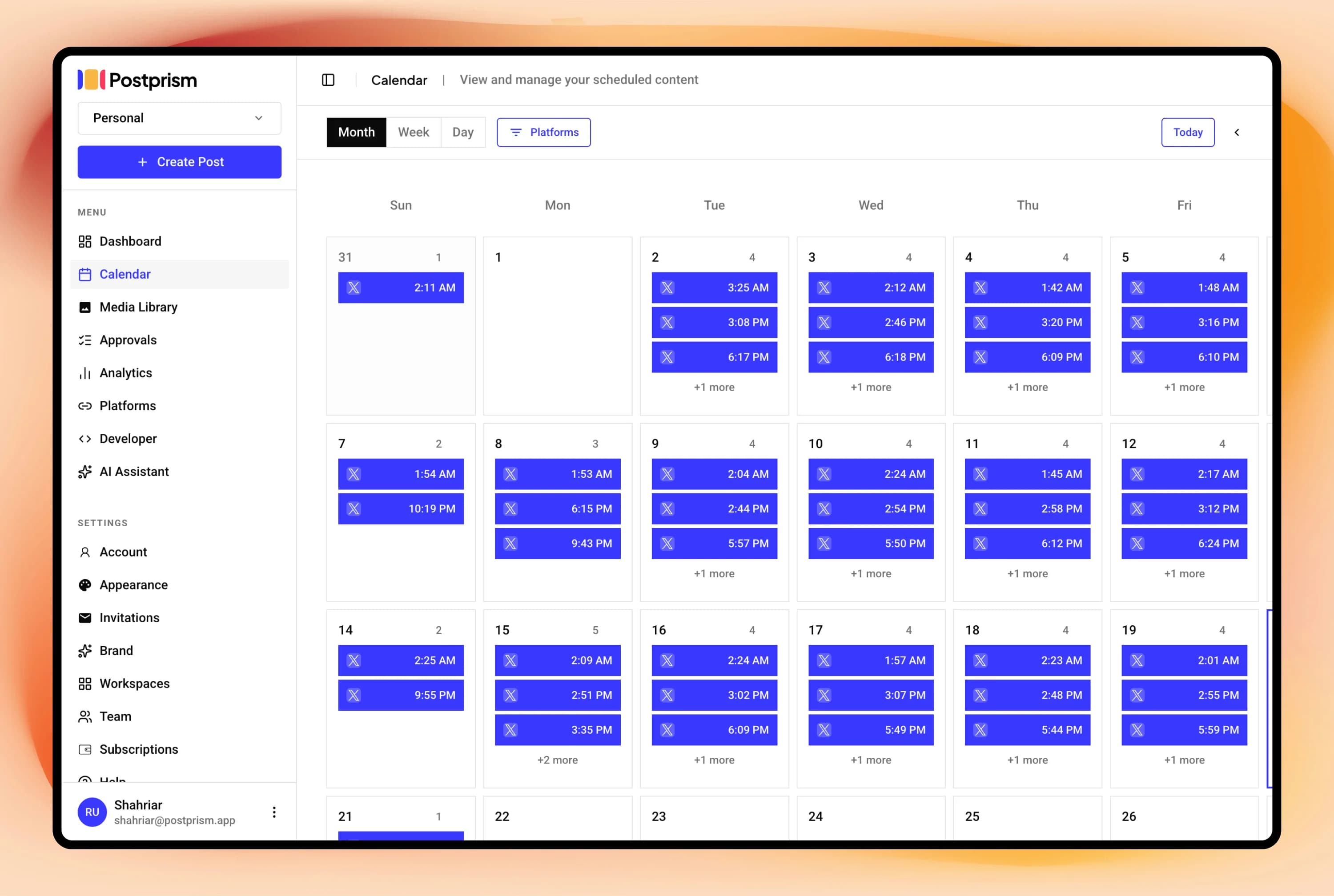
Full calendar (month, week, day views) with drag-and-drop rescheduling and kanban board for pipeline management
Content calendar with post management and scheduling queue
Post scheduling
Full scheduling with automatic multi-platform publishing, retry logic, and queue management
Robust scheduling with bulk publishing, optimal time suggestions, and repeat publishing
Multi-user and team support
Workspaces with Owner, Admin, Editor, and Viewer roles. Up to 3 members on Freelancer ($49/mo). Up to 10 members on Agency ($99/mo) with approval workflows
Client management with team roles and permission levels across paid plans
Schedule everything, post everywhere
- Schedule to 9 platforms
- One content calendar
- AI adapts every post
Built for creators and teams
Independent reviews
What users say about Sendible
Ratings from independent review platforms, not from us.
Sendible ratings
Trustpilot
4.2/5
23 reviews
View reviewsG2
4.5/5
880+ reviews
View reviews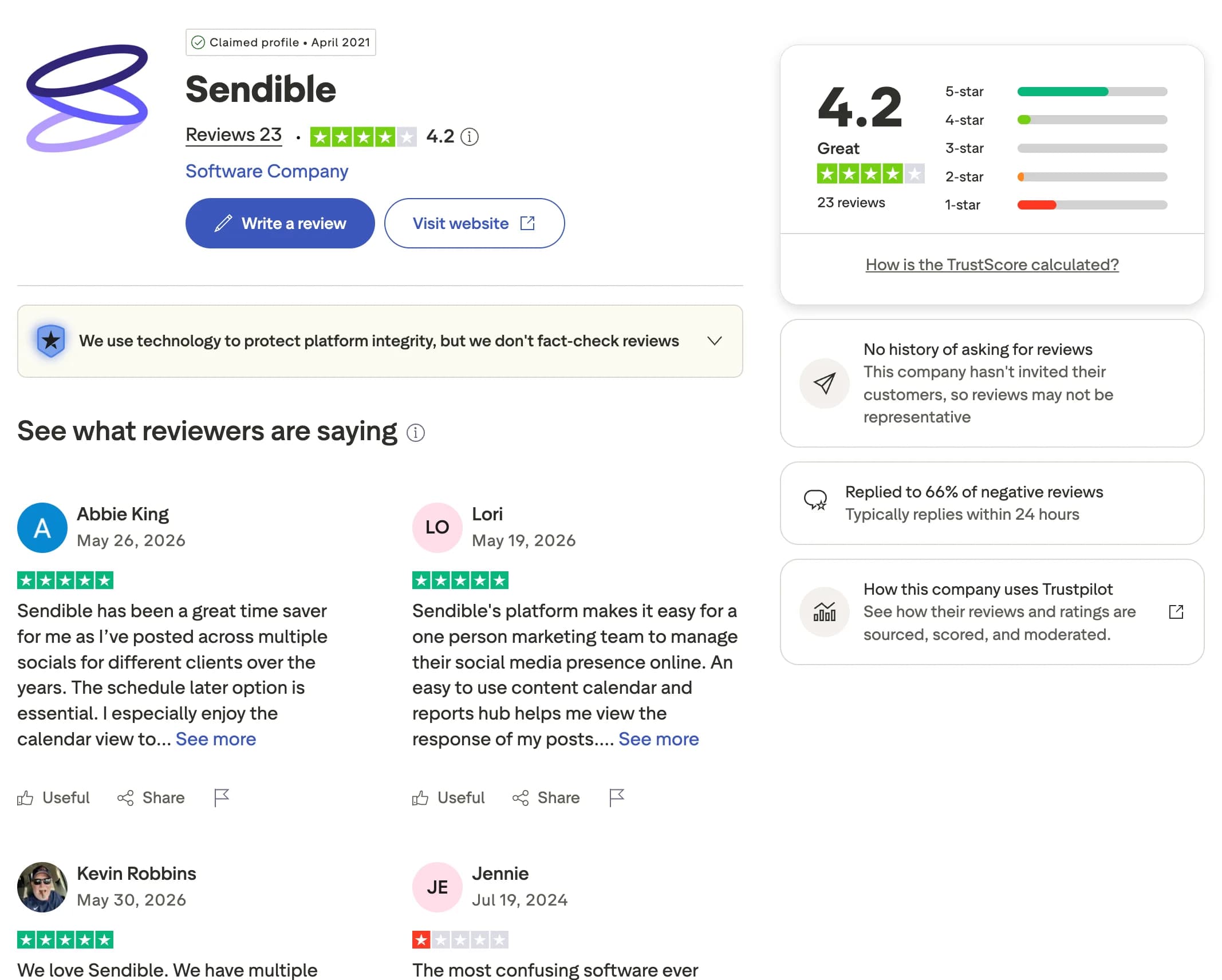
Why users switch from Sendible
Sendible is a long-standing agency platform with broad integrations and client tools. As your client roster grows, its pricing model and missing pipeline views start to show. Here are the most common reasons creators, marketers, and agencies look for an alternative.
No per-platform content adaptation
Sendible does not rewrite your content for each platform automatically. Postprism uses AI to adapt one message into the right tone, length, and format for every connected platform before it publishes.
Higher-tier plans get expensive
Sendible's Scale plan runs around $199/month, which is steep for mid-size agencies. Postprism's Agency plan is $99/month with team members and approvals included, so you get multi-client publishing at a lower, predictable cost.
Per-service pricing grows with clients
Sendible prices by connected services, so costs climb as your client roster grows. Postprism uses flat workspace pricing across all 8 platforms, keeping your bill steady as you add accounts.
No kanban board for pipeline management
Sendible does not offer a kanban view of your pipeline. Postprism pairs a full calendar with a kanban board so you can track every post through its stages at a glance.
You can also read what real users think in Sendible reviews on G2.
Postprism vs Sendible: Pros & Cons
Sendible
Pros
White-label client dashboards for agency branding
Automated client report generation with scheduled delivery
Pinterest and Google Business support
Repeat publishing and optimal time suggestions
Cons
No AI content adaptation per platform
Scale plan at $199/month is expensive for mid-size agencies
Per-service pricing model can become costly as client roster grows
No kanban board for pipeline management
Postprism
Pros
AI rewrites content for each platform automatically
Flat workspace pricing, predictable and scalable
Calendar and kanban views for full pipeline management
Approval workflows with role-based access from Freelancer plan
8 platforms including Bluesky and Pinterest
Cons
No white-label branding for client-facing reports
No automated report generation or scheduled delivery
No Pinterest or Google Business support
Who Should Use Sendible vs Postprism?
Sendible is best for:
Agencies that need white-label dashboards to present to clients
Teams that rely on automated monthly report delivery to clients
Agencies with clients on Pinterest or Google Business
Larger agencies where Sendible's service-count pricing makes sense
Postprism is best for:
Agencies who want AI-adapted content published to every platform automatically
Teams wanting flat workspace pricing that scales without service-count fees
Agencies focused on scheduling efficiency and AI-driven optimisation
Teams that need approval workflows and role-based access
Content Calendar
One calendar. All your posts.
See every scheduled post across all platforms in a single calendar. Month, week, and day views let you spot gaps, drag-and-drop to reschedule, and plan campaigns without switching between tools.
Try it free
AI Content Adaptation
Create once. Publish everywhere, adapted.
Write your core message once. Postprism rewrites it for each platform before publishing: professional on LinkedIn, punchy on Twitter/X, hashtag-optimised on Instagram. No more manual copy-paste rewrites.
Try it free
Team Collaboration
Roles, approvals, and workspaces.
Invite your team with Owner, Admin, Editor, or Viewer roles. Set up approval workflows so nothing gets published without sign-off. Built for agencies managing multiple client workspaces.
Try it free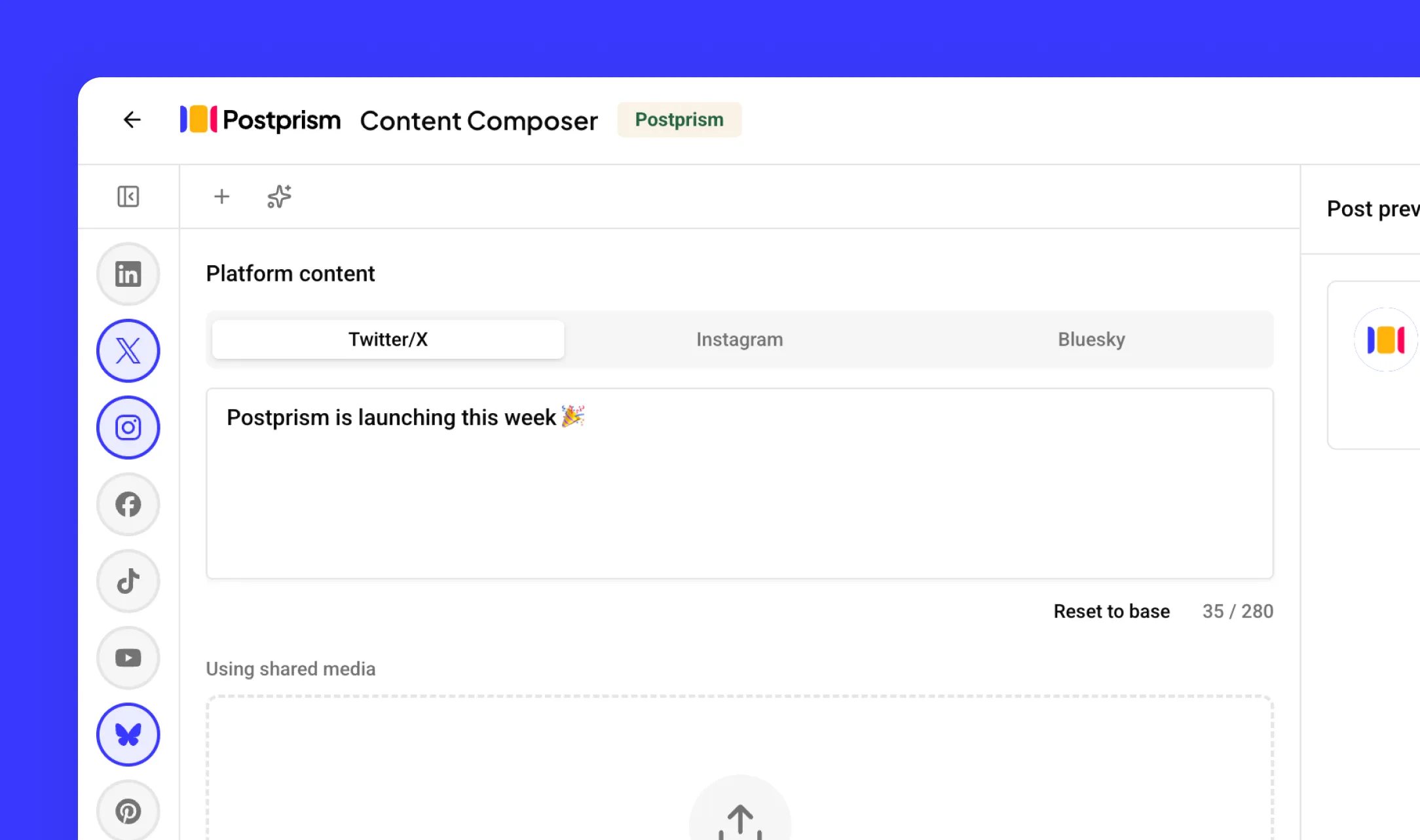
How to Switch from Sendible to Postprism
Moving your social media workflow takes minutes, not days.
Export your Sendible reports and client account data
Download all client analytics reports and save your scheduled content from Sendible. Record all connected social profiles per client workspace so you can rebuild them in Postprism.
Create your Postprism workspace
Sign up at studio.postprism.app. The workspace setup takes under 5 minutes.
Connect your platforms and configure team roles
Go to Settings > Platforms and connect each account via OAuth. Invite team members with Owner, Admin, Editor, or Viewer roles and set up approval workflows.
Cancel Sendible when your client workflow is stable
Once all client workspaces and approval workflows are running in Postprism, cancel your Sendible subscription from their billing page.
Learn More About Sendible
How Sendible Compares to Other Tools
Postprism vs Sendible — frequently asked questions
Compare Postprism to market leaders

Alternative to Buffer

Alternative to Hootsuite

Alternative to Later

Alternative to Sprout Social

Alternative to Metricool

Alternative to Publer

Alternative to SocialPilot

Alternative to Planable

Alternative to SocialBee

Alternative to Loomly

Alternative to CoSchedule

Alternative to Agorapulse

Alternative to Tailwind

Alternative to Zoho Social

Alternative to Iconosquare

Alternative to Vista Social
Make the switch from Sendible
Import your schedule, connect your accounts, and start posting in minutes.