Best CoSchedule Alternative for Social Media Teams
CoSchedule is a marketing calendar and project management platform that includes social media scheduling as part of a broader editorial workflow. Postprism is purpose-built for social media, with AI that adapts your content for each platform's specific tone and format automatically.

Which one is right for you?
CoSchedule is the right tool if you:
Need a full marketing calendar covering social, blog, email, and projects together
Want content recycling via the ReQueue feature
Manage a team with diverse marketing roles beyond social scheduling
Use the Headline Analyzer for SEO-driven content planning
Postprism is the better fit if you:
Want AI to adapt your social content for each platform automatically
Need a focused social media scheduler without project management overhead
Prefer flat workspace pricing over per-user costs
Publish to TikTok, YouTube, Bluesky, or Pinterest, or want 8-platform coverage
Run a social-focused team that needs approval workflows and role-based access
Postprism vs CoSchedule
Feature

Postprism

CoSchedule
Pricing
Solo from $19/month, all 8 platforms, unlimited posts
Solo $19/month, Freelancer $49/month, Agency $99/month paid
Solo from $19/month, all 8 platforms, unlimited posts
Free Marketing Calendar plan with limited features
Marketing Suite at $29/user/month paid
AI content adaptation per platform
Automatically rewrites content for each platform, professional on LinkedIn, punchy on Twitter/X, hashtag-optimised on Instagram, before publishing
Headline Analyzer tool available but no AI content adaptation per platform. Social scheduling posts content as-written to each channel
Pricing
Solo $19/month. Freelancer $49/month. Agency $99/month, flat workspace pricing
Free Marketing Calendar (limited functionality). Marketing Suite at $29/user/month, per-user pricing
Use case focus
Purpose-built social media scheduling and content publishing with AI platform adaptation
Full marketing calendar, project management, and editorial planning, social scheduling is one component of a broader tool
Platforms supported
LinkedIn, Twitter/X, Instagram, Facebook, TikTok, YouTube, Bluesky, and Pinterest, 8 platforms with full publishing support
Facebook, Instagram, Twitter/X, LinkedIn, Pinterest, social scheduling depth is more limited than dedicated schedulers
Content calendar view
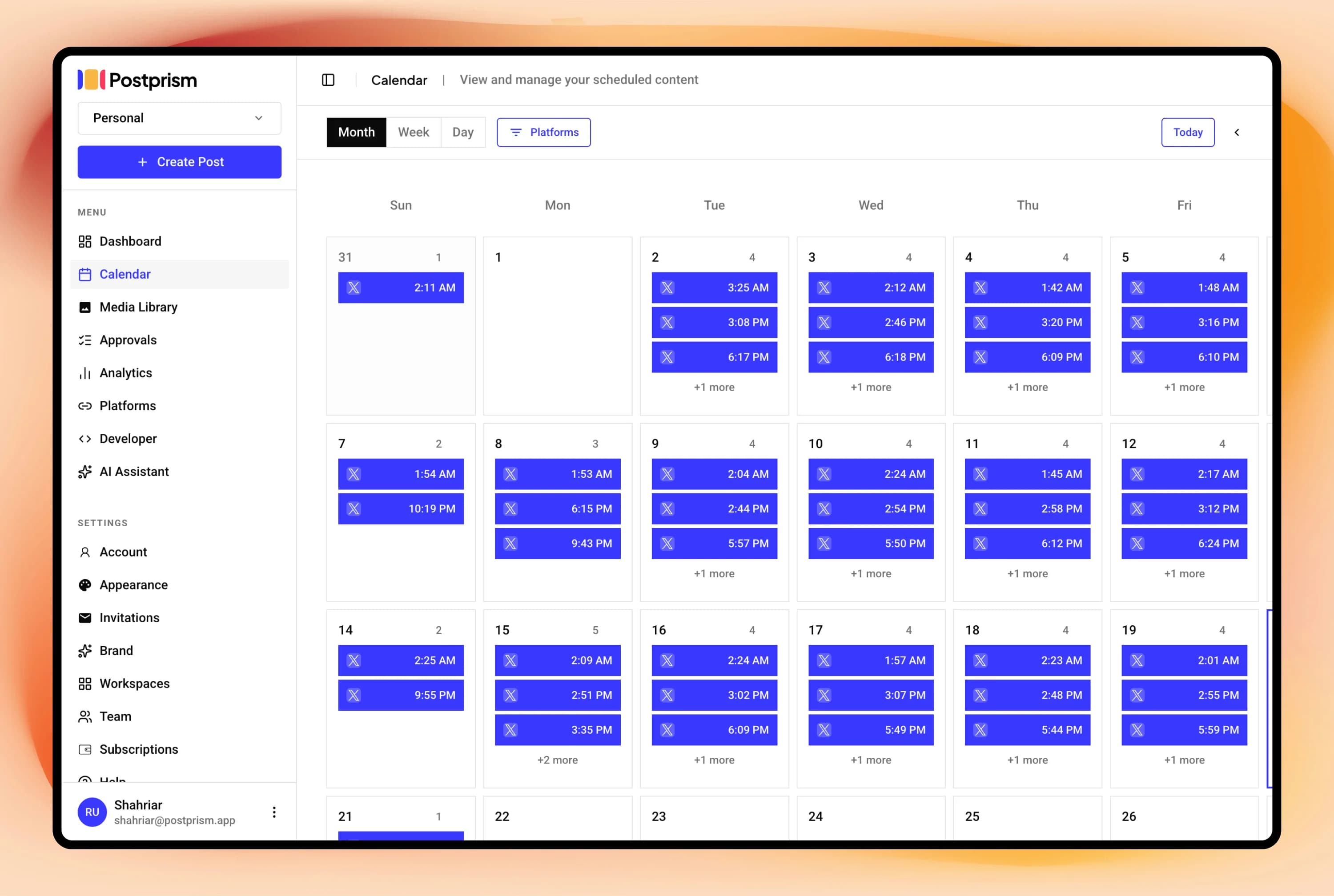
Full social content calendar (month, week, day views) with drag-and-drop rescheduling and kanban board
Comprehensive marketing calendar covering social, blog, email, and other content types with project management features
Content recycling
Content scheduling via calendar and kanban views. Automated recycling is not currently available
ReQueue feature automatically recycles top-performing content on a schedule
Analytics
Per-post and platform engagement metrics. 90-day history on Freelancer. Full history with CSV export on Agency
Basic social media analytics alongside broader marketing performance tracking
Multi-user and team support
Workspaces with Owner, Admin, Editor, and Viewer roles. Up to 3 members on Freelancer, 10 on Agency with approval workflows
Team collaboration and task assignment built into the project management layer, strong for marketing teams with diverse roles
Schedule everything, post everywhere
- Schedule to 9 platforms
- One content calendar
- AI adapts every post
Built for creators and teams
Independent reviews
What users say about CoSchedule
Ratings from independent review platforms, not from us.
CoSchedule ratings
Trustpilot
3.0/5
5 reviews
View reviewsG2
4.4/5
150+ reviews
View reviews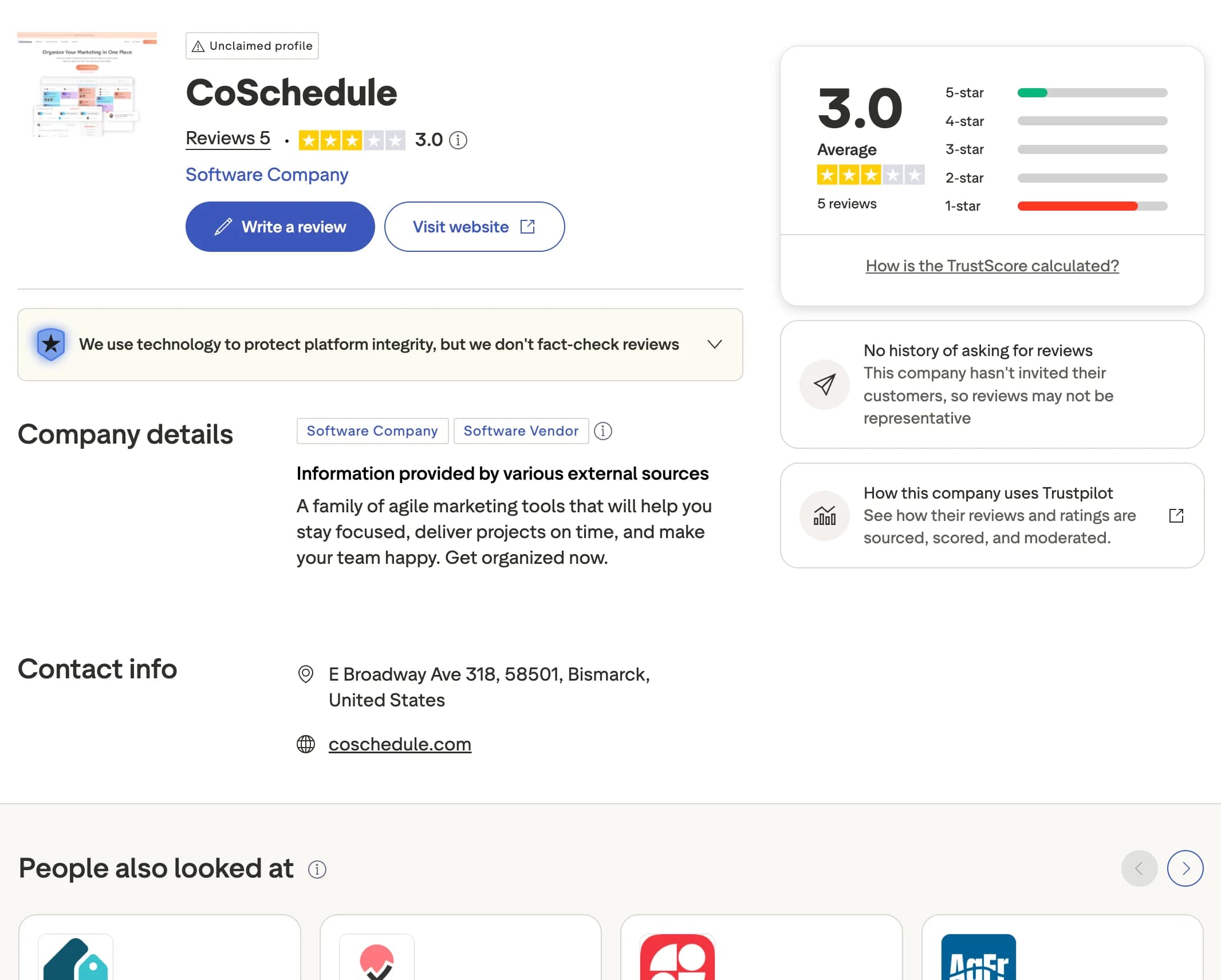
Why users switch from CoSchedule
CoSchedule is a broad marketing calendar that bundles social scheduling alongside project planning. If social publishing is your main need, its breadth can work against you. Here are the most common reasons creators, marketers, and agencies look for an alternative.
No per-platform content adaptation
CoSchedule does not rewrite your social content for each platform automatically. Postprism uses AI to adapt one message into the right tone, length, and format for every connected platform before it publishes.
Per-user pricing adds up for teams
CoSchedule charges per user, so costs grow as your team expands. Postprism includes team members in its flat Freelancer and Agency plans, so adding collaborators does not multiply your bill.
Limited social scheduling depth
CoSchedule's social scheduling is shallower than dedicated tools. Postprism focuses on multi-platform publishing with automatic scheduling, retry logic, and per-platform adaptation.
Heavier tool than you may need
CoSchedule is a broad marketing suite that can be more than you need for social alone. Postprism stays focused on social scheduling with a clean calendar and kanban workflow.
You can also read what real users think in CoSchedule reviews on G2.
Postprism vs CoSchedule: Pros & Cons
CoSchedule
Pros
Full marketing calendar, covers social, blog, email, and project management
ReQueue for automatic content recycling
Headline Analyzer for SEO content planning
Strong team project management and task assignment features
Cons
No AI content adaptation per social platform
Per-user pricing adds up for larger teams
Social scheduling depth is limited compared to dedicated scheduling tools
Heavier, more complex tool if you only need social scheduling
Postprism
Pros
AI rewrites content for each platform automatically
Purpose-built for social scheduling, fast, focused workflow
Flat workspace pricing regardless of team or account count
8 platforms including TikTok, YouTube, Bluesky, and Pinterest
Calendar and kanban views for pipeline management
Cons
No blog or email content management
No project management layer for broader marketing tasks
No content recycling feature
Who Should Use CoSchedule vs Postprism?
CoSchedule is best for:
Marketing teams managing social, blog, email, and projects in one place
Teams that rely on automated content recycling via ReQueue
Content teams using the Headline Analyzer for SEO planning
Organisations needing a single calendar for all marketing activities
Postprism is best for:
Teams focused primarily on social media scheduling and publishing
Creators and managers who want AI-adapted content per platform
Agencies managing multiple client social accounts
Teams who want a fast, focused tool without project management overhead
Content Calendar
One calendar. All your posts.
See every scheduled post across all platforms in a single calendar. Month, week, and day views let you spot gaps, drag-and-drop to reschedule, and plan campaigns without switching between tools.
Try it free
AI Content Adaptation
Create once. Publish everywhere, adapted.
Write your core message once. Postprism rewrites it for each platform before publishing: professional on LinkedIn, punchy on Twitter/X, hashtag-optimised on Instagram. No more manual copy-paste rewrites.
Try it free
Team Collaboration
Roles, approvals, and workspaces.
Invite your team with Owner, Admin, Editor, or Viewer roles. Set up approval workflows so nothing gets published without sign-off. Built for agencies managing multiple client workspaces.
Try it free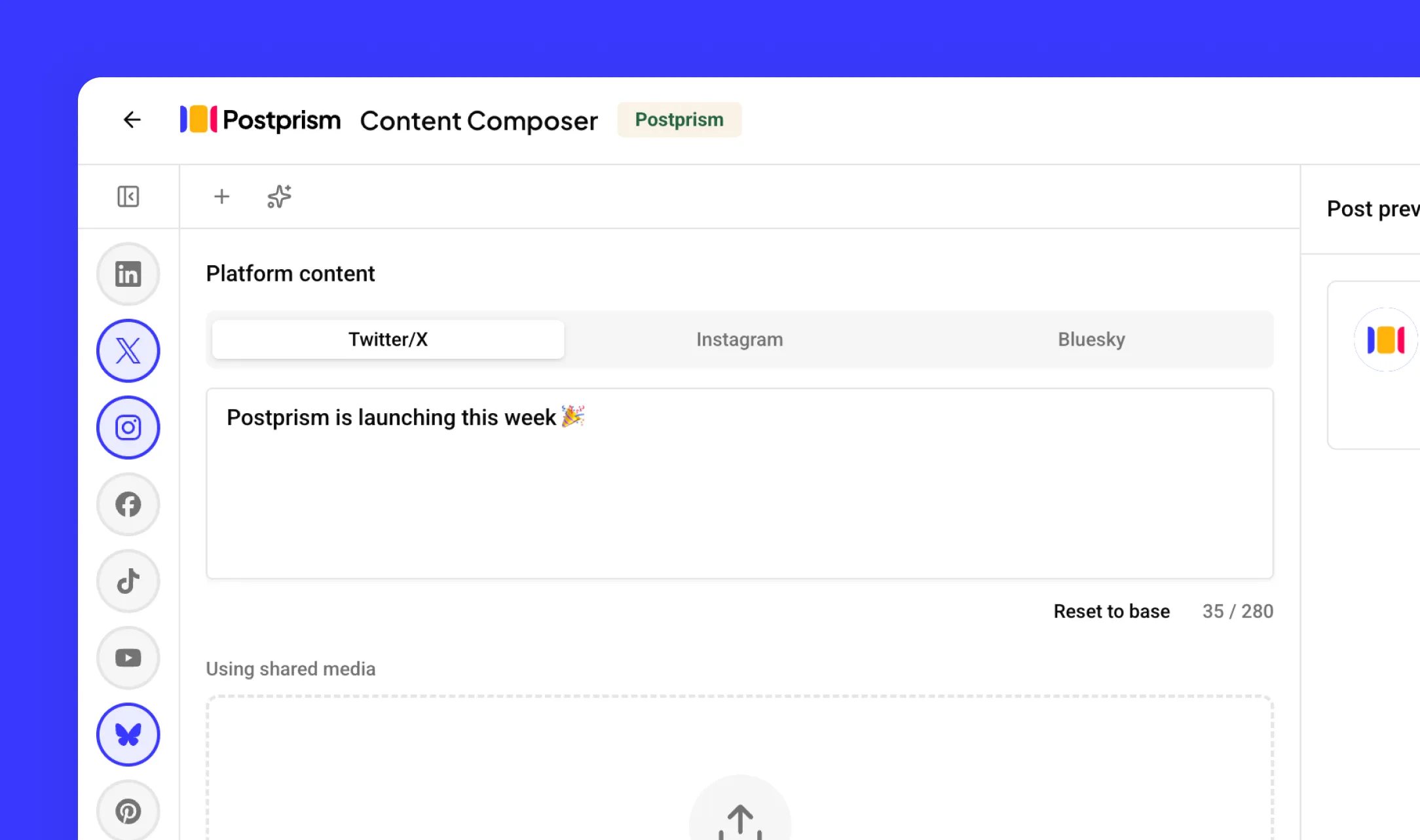
How to Switch from CoSchedule to Postprism
Moving your social media workflow takes minutes, not days.
Export your CoSchedule social post data
From CoSchedule, export or copy your upcoming social posts and note all connected social accounts. Download any project or calendar data you want to keep for reference.
Create your Postprism workspace
Sign up at studio.postprism.app. The workspace setup takes under 5 minutes.
Connect your platforms and schedule with AI
Go to Settings > Platforms, connect each account via OAuth, then use Postprism's AI adaptation to produce platform-specific versions of your social content before scheduling.
Cancel CoSchedule when your social workflow is settled
Once your social media workflow is running in Postprism, cancel your CoSchedule subscription from their billing page.
Learn More About CoSchedule
How CoSchedule Compares to Other Tools
Postprism vs CoSchedule — frequently asked questions
Compare Postprism to market leaders

Alternative to Buffer

Alternative to Hootsuite

Alternative to Later

Alternative to Sprout Social

Alternative to Metricool

Alternative to Publer

Alternative to SocialPilot

Alternative to Planable

Alternative to SocialBee

Alternative to Loomly

Alternative to Agorapulse

Alternative to Sendible

Alternative to Tailwind

Alternative to Zoho Social

Alternative to Iconosquare

Alternative to Vista Social
Make the switch from CoSchedule
Import your schedule, connect your accounts, and start posting in minutes.