Best Loomly Alternative with AI Content Adaptation
Loomly helps teams with post idea suggestions, approval workflows, and multi-platform scheduling. Postprism goes further with AI that automatically rewrites your content for each platform before it goes live, at flat pricing that does not scale with your account count.

Which one is right for you?
Loomly is the right tool if you:
Want built-in post idea suggestions based on trends and events
Post to Pinterest, Snapchat, or Google Business
Need approval workflows with post comments across all paid plans
Are comfortable with per-calendar pricing at lower account counts
Postprism is the better fit if you:
Want AI to rewrite your content for each platform automatically
Need flat workspace pricing that does not scale with account count
Want a kanban board alongside your content calendar
Run a team publishing across LinkedIn, Twitter/X, Instagram, Facebook, TikTok, YouTube, Bluesky, and Pinterest
Are scaling beyond 10 accounts without wanting escalating costs
Postprism vs Loomly
Feature

Postprism

Loomly
Pricing
Solo from $19/month, all 8 platforms, unlimited posts
Solo $19/month, Freelancer $49/month, Agency $99/month paid
Solo from $19/month, all 8 platforms, unlimited posts
15-day free trial available, no ongoing free plan
Base $36/month (10 calendars), Standard $76/month (20 calendars), Advanced $156/month (35 calendars) paid
AI content adaptation per platform
Automatically rewrites content for each platform, tone, length, format, and hashtag style adapted per channel before publishing
No AI content adaptation. Post ideas and hashtag suggestions are provided, but content is not rewritten per platform automatically
Pricing
Solo $19/month. Freelancer $49/month. Agency $99/month, flat workspace pricing
Base at $36/month, Standard at $76/month, Advanced at $156/month, pricing scales with calendar count (social accounts)
Platforms supported
LinkedIn, Twitter/X, Instagram, Facebook, TikTok, YouTube, Bluesky, and Pinterest, 8 platforms with full publishing support
Facebook, Instagram, Twitter/X, LinkedIn, Pinterest, YouTube, TikTok, Snapchat, and Google Business, 9 platforms
Post idea suggestions
AI content generation from within the editor, write and adapt content with AI assistance
Built-in post idea suggestions based on trending content, events, and holidays, helpful for inspiration
Approval workflows
Multi-level approval workflows on Freelancer and Agency plans with Owner, Admin, Editor, and Viewer roles
Approval workflows with post comments and team review built into all paid plans
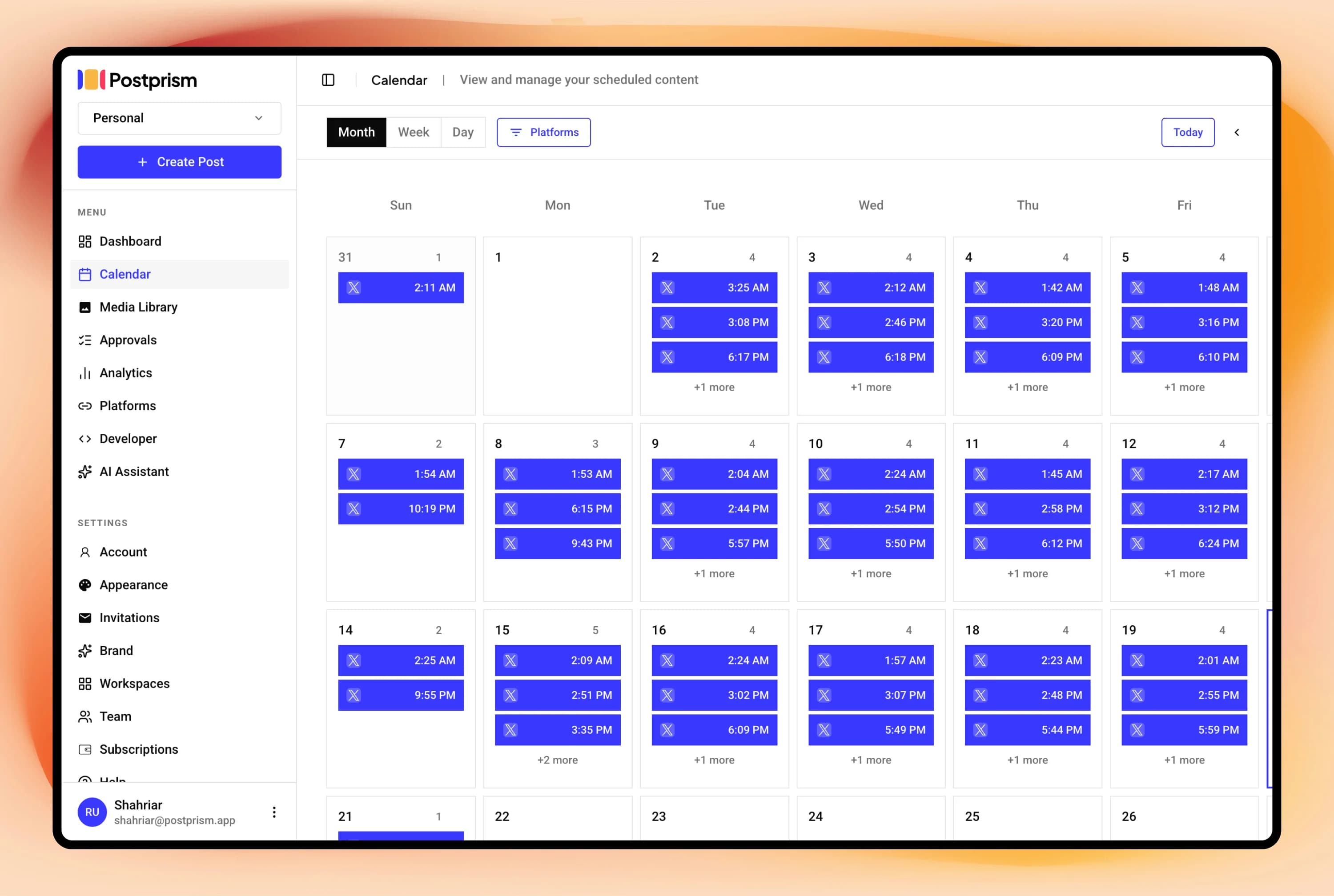
Content calendar view
Full calendar (month, week, day views) with drag-and-drop rescheduling and kanban board for pipeline management
Calendar view with monthly overview and post management across all connected accounts
Analytics
Per-post and platform engagement metrics. 90-day history on Freelancer. Full history with CSV export on Agency
Basic analytics with engagement metrics on paid plans
Multi-user and team support
Workspaces with Owner, Admin, Editor, and Viewer roles. Up to 3 members on Freelancer, 10 on Agency with approval workflows
Team collaboration with roles and approval comments available across paid plans
Schedule everything, post everywhere
- Schedule to 9 platforms
- One content calendar
- AI adapts every post
Built for creators and teams
Independent reviews
What users say about Loomly
Ratings from independent review platforms, not from us.
Loomly ratings
Trustpilot
3.8/5
102 reviews
View reviewsG2
4.6/5
1,400+ reviews
View reviews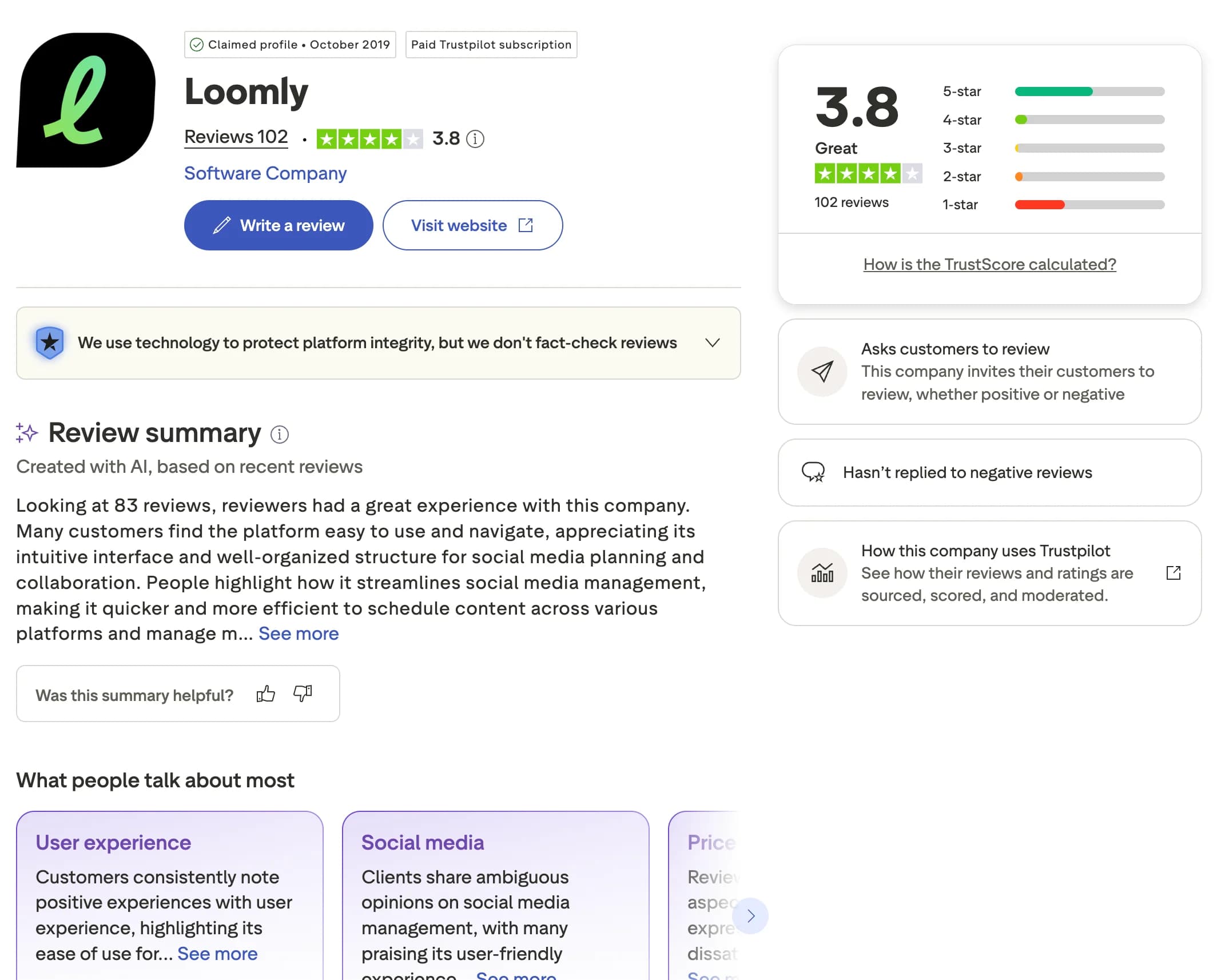
Why users switch from Loomly
Loomly is a tidy content planner with helpful post ideas and review steps. As you add accounts and want platform-native content, its pricing and feature gaps appear. Here are the most common reasons creators, marketers, and agencies look for an alternative.
No per-platform content adaptation
Loomly does not rewrite your content for each platform automatically. Postprism uses AI to adapt one message into the right tone, length, and format for every connected platform before it publishes.
Per-calendar pricing scales quickly
Loomly prices by the number of calendars (accounts), so costs grow as you add them. Postprism uses flat workspace pricing (Solo $19, Freelancer $49, Agency $99), letting you connect more accounts without your bill climbing each time.
No kanban board for pipeline management
Loomly does not offer a kanban view of your pipeline. Postprism pairs a full calendar with a kanban board so you can track every post through its stages at a glance.
Limited AI compared to AI-native tools
Loomly's AI functionality is light next to AI-native tools. Postprism puts per-platform AI adaptation at the centre of the workflow, rewriting your content for each platform automatically.
You can also read what real users think in Loomly reviews on G2.
Postprism vs Loomly: Pros & Cons
Loomly
Pros
Post idea suggestions based on trends, events, and holidays
Hashtag suggestions to speed up content creation
Pinterest, Snapchat, and Google Business support
Approval workflows with comments on all paid plans
Cons
No AI content adaptation per platform
Per-calendar (account) pricing scales costs quickly
No kanban board for pipeline management
Limited AI functionality compared to AI-native tools
Postprism
Pros
AI rewrites content for each platform automatically
Flat workspace pricing, no per-account cost creep
Calendar and kanban views for full pipeline management
Approval workflows with role-based access on Freelancer and Agency
8 platforms with full publishing support
Cons
No trending post idea suggestions or event-based prompts
No Pinterest, Snapchat, or Google Business support
Newer product with a smaller user community
Who Should Use Loomly vs Postprism?
Loomly is best for:
Teams that benefit from built-in content idea prompts
Businesses posting to Pinterest, Snapchat, or Google Business
Teams with small account rosters where per-calendar pricing is fair
Agencies that need lightweight approval comments alongside scheduling
Postprism is best for:
Teams who want AI-adapted content for every platform automatically
Agencies managing many accounts who want flat pricing
Teams who want visual calendar and kanban pipeline management
Creators and businesses publishing primarily on the 7 core platforms
Content Calendar
One calendar. All your posts.
See every scheduled post across all platforms in a single calendar. Month, week, and day views let you spot gaps, drag-and-drop to reschedule, and plan campaigns without switching between tools.
Try it free
AI Content Adaptation
Create once. Publish everywhere, adapted.
Write your core message once. Postprism rewrites it for each platform before publishing: professional on LinkedIn, punchy on Twitter/X, hashtag-optimised on Instagram. No more manual copy-paste rewrites.
Try it free
Team Collaboration
Roles, approvals, and workspaces.
Invite your team with Owner, Admin, Editor, or Viewer roles. Set up approval workflows so nothing gets published without sign-off. Built for agencies managing multiple client workspaces.
Try it free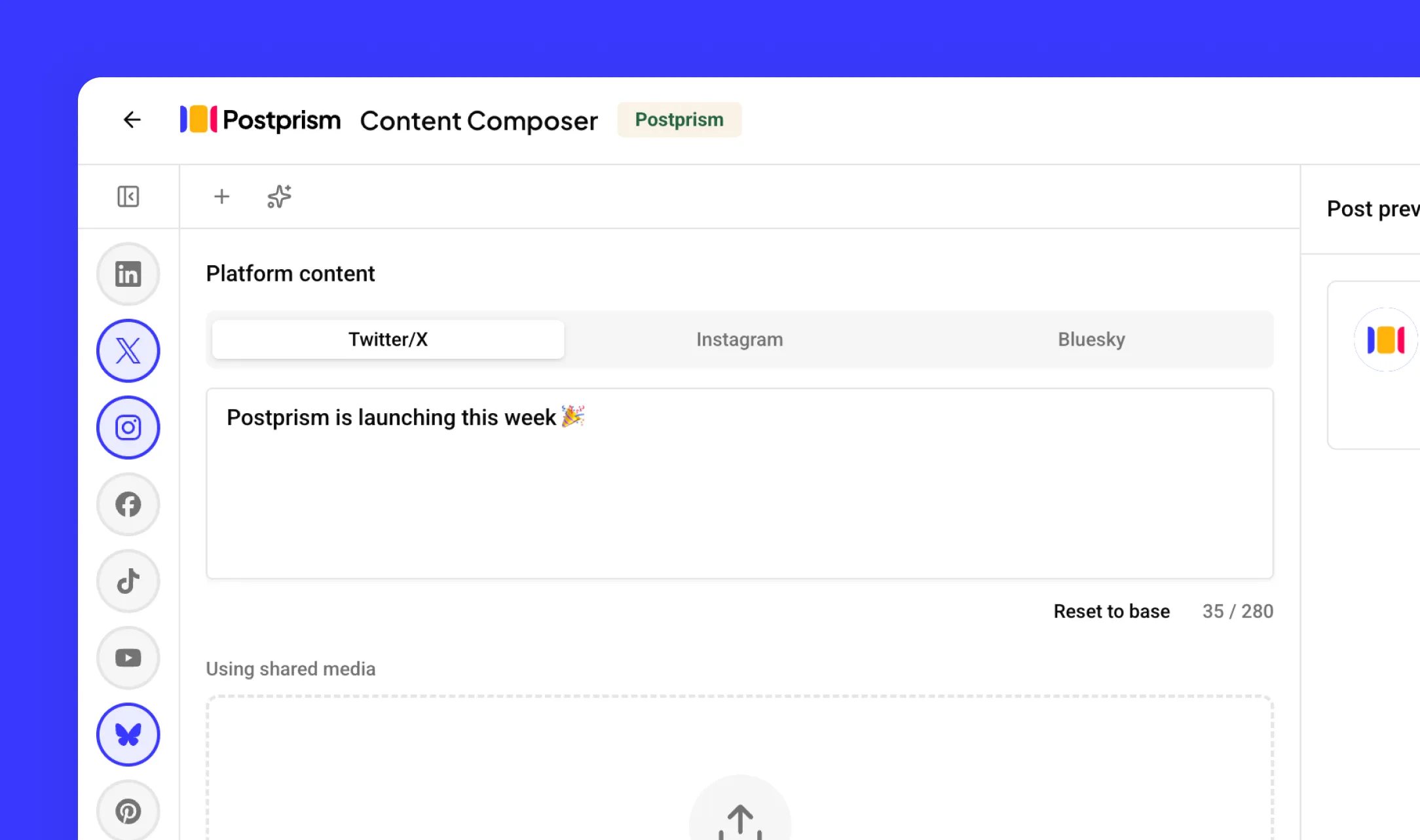
How to Switch from Loomly to Postprism
Moving your social media workflow takes minutes, not days.
Export your Loomly post library and calendar data
Download your post library from Loomly and save your scheduled content. Review which social accounts are connected so you can reconnect them in Postprism.
Create your Postprism workspace
Sign up at studio.postprism.app. The workspace setup takes under 5 minutes.
Connect your platforms and schedule with AI
Go to Settings > Platforms, connect each account via OAuth, then recreate your schedule using Postprism's AI adaptation to generate platform-specific versions.
Cancel Loomly when you are ready
Once your workflow is running smoothly in Postprism, cancel your Loomly subscription from their account billing page.
Learn More About Loomly
How Loomly Compares to Other Tools
Postprism vs Loomly — frequently asked questions
Compare Postprism to market leaders

Alternative to Buffer

Alternative to Hootsuite

Alternative to Later

Alternative to Sprout Social

Alternative to Metricool

Alternative to Publer

Alternative to SocialPilot

Alternative to Planable

Alternative to SocialBee

Alternative to CoSchedule

Alternative to Agorapulse

Alternative to Sendible

Alternative to Tailwind

Alternative to Zoho Social

Alternative to Iconosquare

Alternative to Vista Social
Make the switch from Loomly
Import your schedule, connect your accounts, and start posting in minutes.