Best Publer Alternative with Smarter AI Adaptation
Publer is a scheduling tool with strong media design integrations, Canva, Crello, and automatic watermarking. Postprism focuses on AI content adaptation across platforms. If writing quality or content speed is your primary need, Postprism is the better fit.

Which one is right for you?
Publer is a solid choice if you:
Need a capable all-in-one scheduler with decent AI writing tools
Use Publer's Canva and VistaCreate integration for visual content
Want browser extensions and RSS auto-posting features
Are happy with Publer's current AI assistance for captions
Postprism is the better fit if you:
Need AI that produces platform-native content, not just caption variations
Publish to 3+ platforms and want each post genuinely adapted
Want flat workspace pricing that doesn't scale with profiles
Need team collaboration with approval workflows
Want kanban + calendar pipeline management in one place
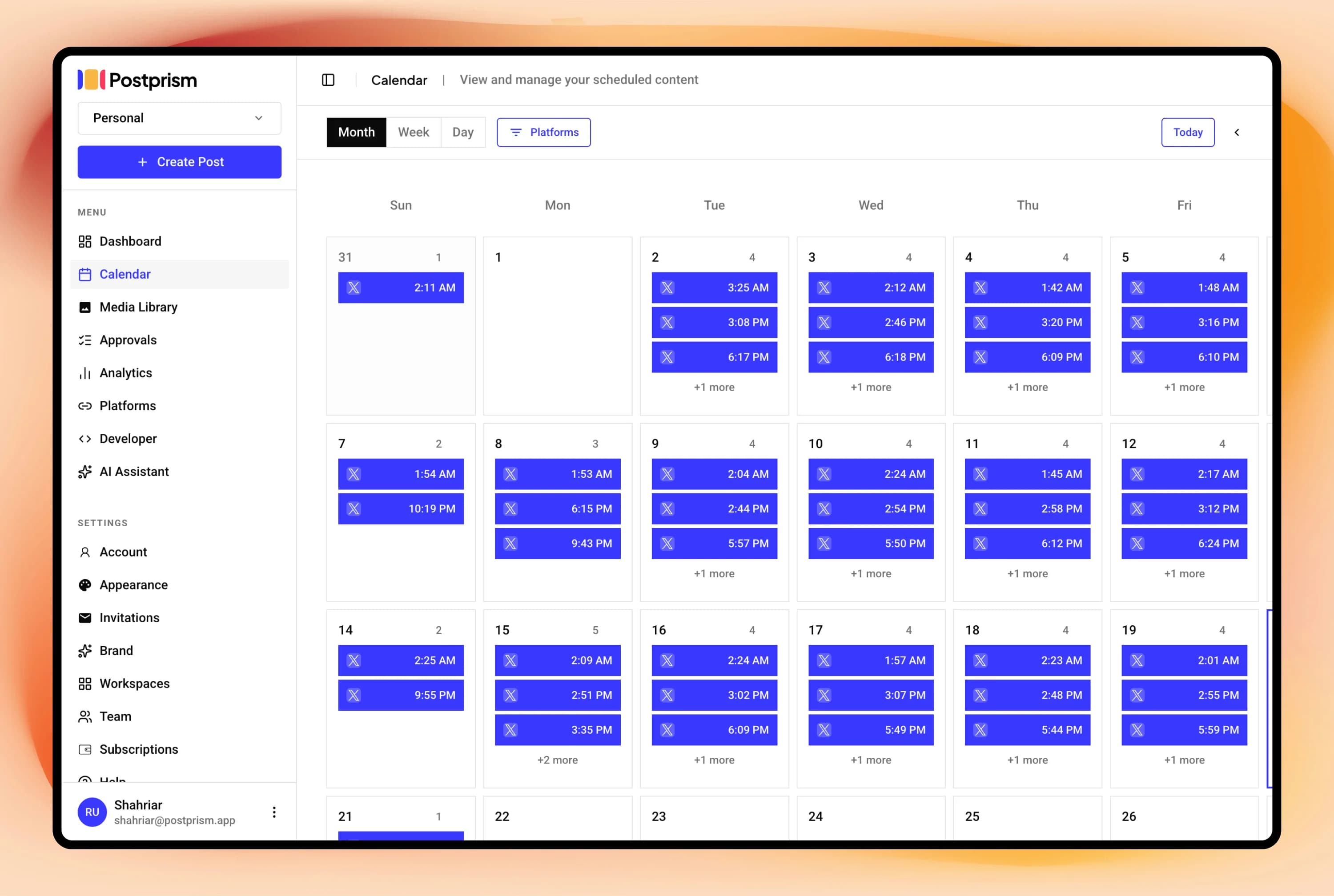
Postprism vs Publer
Feature

Postprism

Publer
Pricing
Solo from $19/month, all 8 platforms, unlimited posts
Solo $19/month, Freelancer $49/month, Agency $99/month paid
Solo from $19/month, all 8 platforms, unlimited posts
Free, 3 social accounts, 10 posts/month
Professional $12/month, Business $21/month paid
AI content adaptation per platform
Automatically rewrites content for each platform's specific tone, character limits, and format
AI writer for caption generation but no automatic platform-specific content adaptation
Pricing
Solo $19/month. Freelancer $49/month. Agency $99/month
Free plan available. Professional $12/month, Business $21/month (billed annually)
Platforms supported
LinkedIn, Twitter/X, Instagram, Facebook, TikTok, YouTube, Bluesky, and Pinterest, 8 platforms with full publishing
Facebook, Instagram, Twitter/X, LinkedIn, Pinterest, TikTok, YouTube, Google Business, WordPress, 9+ platforms
Content calendar view
Full calendar (month, week, day views) with drag-and-drop rescheduling and kanban board
Visual calendar with colour-coded labels and content categories
Post scheduling
Full scheduling with automatic multi-platform publishing and calendar-based management
Auto-scheduling with recycling posts feature for evergreen content
Analytics
Per-post and platform engagement metrics on Solo and above. 90-day history on Freelancer. Full history with CSV export on Agency
Basic analytics with performance metrics per post and platform
Bulk scheduling
Content queue management via calendar and kanban views. CSV bulk import planned for Freelancer and Agency plans
Bulk scheduling with CSV import on all paid plans
Multi-user and team support
Workspaces with Owner, Admin, Editor, and Viewer roles. Up to 3 members on Freelancer. Up to 10 on Agency with multi-level approval workflows
Team collaboration with workspaces and approval workflows on Business plan
Schedule everything, post everywhere
- Schedule to 9 platforms
- One content calendar
- AI adapts every post
Built for creators and teams
Independent reviews
What users say about Publer
Ratings from independent review platforms, not from us.
Publer ratings
Trustpilot
4.9/5
962 reviews
View reviewsG2
4.8/5
360+ reviews
View reviews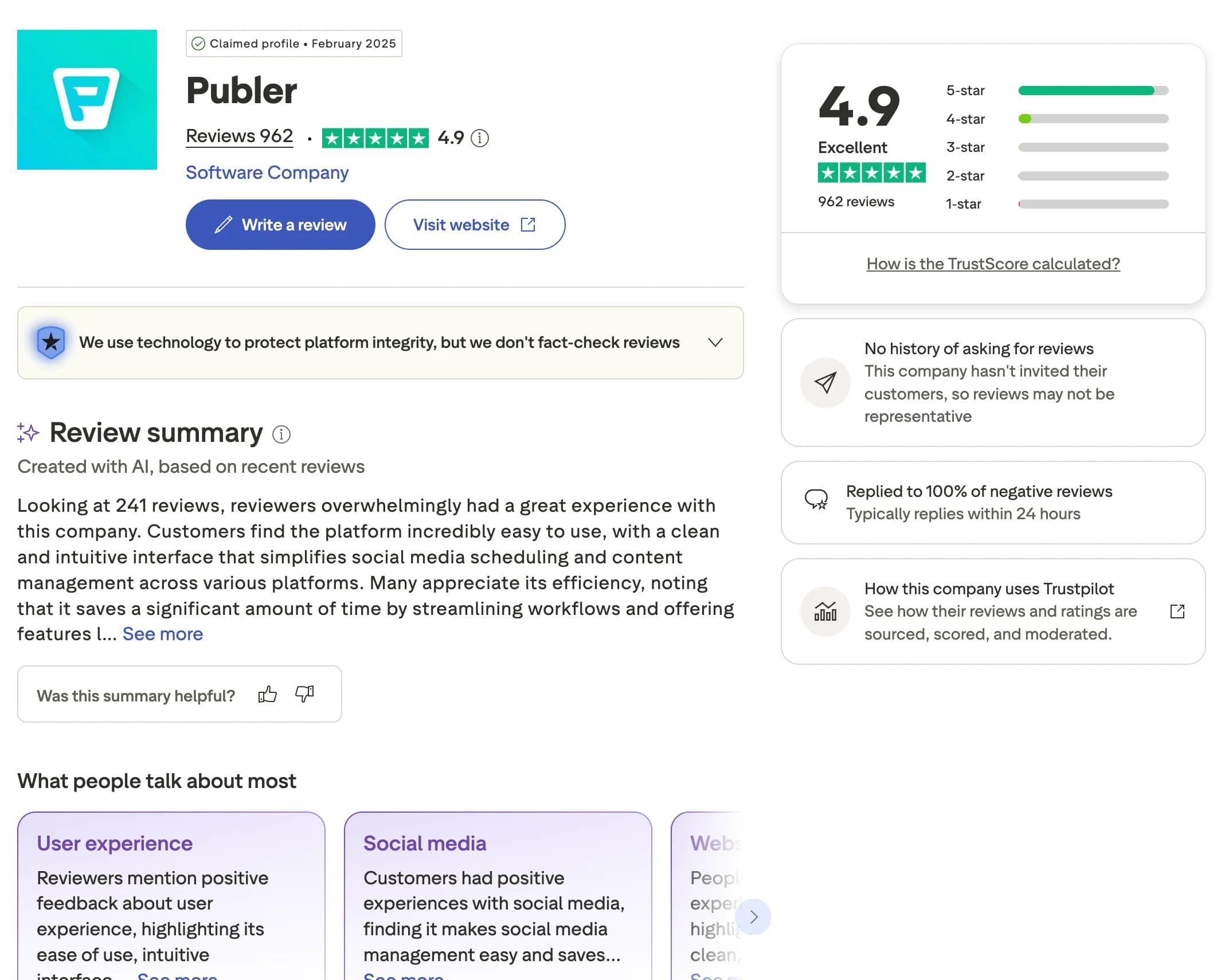
Why users switch from Publer
Publer is a flexible scheduler with handy bulk and recycling tools. As your account list and team grow, its caption-level AI and per-profile pricing start to show. Here are the most common reasons creators, marketers, and agencies look for an alternative.
AI is caption-level, not platform-native
Publer's AI helps write captions but does not adapt a single message into platform-native versions. Postprism rewrites your content for each platform's tone, length, and format automatically before publishing.
Per-profile pricing grows with accounts
Publer charges per social profile, so costs grow as you add accounts. Postprism uses flat workspace pricing (Solo $19, Freelancer $49, Agency $99), letting you connect more accounts without your bill climbing each time.
Team features limited to higher tiers
Publer reserves richer collaboration for its higher plans. Postprism includes team roles and approval workflows from the Freelancer plan, so small teams can collaborate without upgrading.
Less structured pipeline management
Publer's content pipeline is less visual than a dedicated planning workflow. Postprism pairs a full calendar with a kanban board so you can see and move every post through your pipeline at a glance.
You can also read what real users think in Publer reviews on G2.
Postprism vs Publer: Pros & Cons
Publer
Pros
Solid all-in-one scheduling with good feature breadth
Canva and VistaCreate integrations built in
Browser extension and RSS auto-posting
Reasonable pricing with a usable free tier
Cons
AI is caption-level, not platform-native content adaptation
Per-profile pricing that grows with your account list
Team features limited to higher tiers
Less sophisticated content pipeline management
Postprism
Pros
AI produces platform-native content for each of 8 platforms
Flat workspace pricing, scale profiles without extra cost
Calendar + kanban pipeline included at all paid tiers
Team roles and approval workflows from $49/month
Cons
No Canva or VistaCreate integration
No browser extension or RSS auto-posting
Newer product with smaller feature breadth in non-scheduling areas
Who Should Use Publer vs Postprism?
Publer is best for:
Creators who use Canva or VistaCreate for visual content production
Users who want RSS auto-posting and browser extensions
Teams happy with caption-level AI assistance
Anyone who wants a full-featured scheduler with decent AI at a fair price
Postprism is best for:
Creators who want platform-native AI adaptation, not caption variations
Teams publishing to 3+ platforms who need each post genuinely adapted
Anyone who wants flat pricing as they scale their profile count
Agencies that need kanban pipeline management alongside scheduling
AI Content Adaptation
Platform-native content. Not caption variations.
Postprism's AI understands the structural difference between a LinkedIn article, a Twitter/X thread, and an Instagram caption, and produces the right version for each platform automatically.
Try it free
Content Pipeline
Calendar and kanban. Both.
Manage your content in the view that suits your workflow. Switch between calendar for timeline planning and kanban for pipeline stages, all your posts, all platforms, one tool.
Try it free
How to Switch from Publer to Postprism
Moving your social media workflow takes minutes, not days.
Create your Postprism workspace
Sign up at studio.postprism.app. The workspace setup takes under 5 minutes.
Connect your social platforms
Go to Settings > Platforms and connect each account via OAuth. All 8 platforms in one place.
Schedule your content with AI
Write your post once. Postprism's AI produces a platform-native version for each connected channel before publishing.
Cancel Publer when ready
Once your workflow is settled in Postprism, cancel from Publer's billing page.
Learn More About Publer
How Publer Compares to Other Tools
Postprism vs Publer — frequently asked questions
Compare Postprism to market leaders

Alternative to Buffer

Alternative to Hootsuite

Alternative to Later

Alternative to Sprout Social

Alternative to Metricool

Alternative to SocialPilot

Alternative to Planable

Alternative to SocialBee

Alternative to Loomly

Alternative to CoSchedule

Alternative to Agorapulse

Alternative to Sendible

Alternative to Tailwind

Alternative to Zoho Social

Alternative to Iconosquare

Alternative to Vista Social
Make the switch from Publer
Import your schedule, connect your accounts, and start posting in minutes.