Social media for hotels works when it puts your rooms, views and local experiences in front of people while they are still choosing where to stay, then makes it easy to enquire or book direct. In 2026 that means Instagram plus Facebook or TikTok, Pinterest for destination stays, offers announced six to eight weeks ahead, and replies to reviews.
The hard part is time. The person who "does the socials" is also checking guests in, answering the phone and covering breakfast, so posting happens in a quiet half hour, usually too late for the guests you wanted to reach. This guide replaces that with a system: a job for each platform, content built around how guests plan, offers announced weeks ahead, a review routine, measurement of direct bookings rather than likes, and a weekly routine one person can run.
Throughout, we use three example businesses so you can see the advice applied: The Harbour Rooms, an 18-room boutique hotel by the sea with a small restaurant and bar; Fernhill Farm B&B, a five-room countryside B&B run by a couple; and Pinecrest Cabins, four holiday cabins in a forest an hour from the city, run by one owner with a part-time cleaner. If you plan posts for several properties, see our social media scheduler for hotels and B&Bs for how the workflow fits together.
Key findings: social media for hotels in 2026
- Most travellers now find trip ideas on social platforms. In Expedia Group's 2025 Traveler Value Index, a survey of 11,000 adults in 11 markets, 61% said they find trip ideas on social platforms, up from 35% in 2022, and 73% said influencer recommendations had influenced a decision to book a trip or part of one.
- Social content turns into bookings, and it happens close to the trip. Phocuswright's "F Is for Funnel" study of 1,064 US travellers found that 65% of those who used social media for trip planning made a purchase or visit decision based on content they saw, and 82% of them first saw that content within two months of departure.
- Photos and short video do the converting. In the same Phocuswright study, images (55%) and short-form video (53%) were the formats most likely to lead to a conversion. Facebook (69%), Instagram (68%) and YouTube (65%) were the most used platforms for trip planning.
- Direct bookings are worth more. SiteMinder's Hotel Booking Trends, based on more than 140 million reservations, found hotel websites generated an average of US$516 per booking in 2025, against US$312 for online travel agency bookings, with an average booking window of 32.15 days.
- Carousels earn the most engagement on Instagram. Buffer's State of Social Media Engagement 2026, built on more than 52 million posts, found a 6.90% median engagement rate for Instagram carousels, against 4.44% for single images and 3.31% for Reels.
- Pinterest is bigger than many hoteliers assume. Pinterest reported 640 million global monthly active users in its second-quarter 2026 results, an all-time high and up 11% year over year.
- Review rules now have teeth. The US FTC's final rule bans incentives tied to a particular sentiment, and the UK CMA's guidance bans concealed incentivised reviews, citing a free hotel stay as an example.
If you only do three things: post your rooms and surroundings as carousels every week, announce each seasonal offer six to eight weeks before the dates it covers, and send every post to a page where people can book or enquire direct. Those three habits beat any single viral video.
How guests use social media to plan a stay in 2026
A hotel booking is rarely an impulse. People save ideas months ahead, narrow down a destination, compare a handful of places, check reviews and then book. Social media now sits in every stage of that journey, not just the first one.
Inspiration starts on social, long before the dates are fixed
Expedia's 2025 research found that 61% of travellers now find trip ideas on social platforms, nearly double the 35% of 2022. This is the stage where someone saves a carousel of a cabin with a wood-burning stove, or sends a friend a video of a breakfast table overlooking the sea. They have not picked dates, and they may not have picked a region. Your job at this stage is to be the place they save.
Decisions happen within two months of the trip
Phocuswright's study found that 54% of travellers who converted from social content first saw it within a month of their trip, and 82% within two months of departure. SiteMinder's figure of a 32-day average booking window points the same way. That has a direct consequence for planning: an offer for a February half-term break needs to be visible from December, not posted the week before. Most hotels post offers too late, then conclude that social media does not sell rooms.
Comparison and checking happen on social too
Phocuswright also found that 39% of converters used social media to compare specific options and prices. A guest choosing between three B&Bs will check each one's grid and review replies, and an account that last posted in spring looks closed.
Local discovery is now a platform feature
On 11 February 2026, TikTok introduced the Local Feed in the US, a home-screen tab for local content about "travel, events, restaurants and shopping", including posts from small businesses and local creators. Posts appear based on location, topic and when they were posted. Content from private accounts and from posts set to Friends or Only You does not appear. For a hotel, the practical lesson is that a steady trickle of fresh, public posts about your area matters more than one polished video a year.
TikTok can also lead straight to a booking. In a 2022 survey of 1,139 US TikTok users by the agency MGH, 32% said they had booked a stay at a new resort or hotel they saw on TikTok. It is an older, single-agency survey, but the direction matches everything since.
What has changed for hotel social media in 2026
Beyond how guests plan, three platform changes from the last 18 months affect what a hotel should post.
Instagram now rewards original photos and carousels
On 30 April 2026, Instagram extended its originality rules from Reels to photos and carousels. Accounts that mainly repost other people's work are no longer eligible for recommendations, although followers still see their posts. An account can regain eligibility once most of its recent photos, carousels and Reels over a rolling 30-day window are original. For hotels this matters because guest photos are such tempting content. Reshare them, credit them, but keep most of your recent posts your own.
Shares and profile visits are what the feed is trying to predict
Meta's Instagram Feed ranking explainer lists, among other predictions, how likely you are to share a post in a direct message, how much time you are likely to spend on the author's profile afterwards, and how likely you are to swipe through a whole carousel. Those three actions are almost a description of trip planning: someone sends your cabin to a partner with "this weekend?", taps through to check what else you post, and swipes through every room photo. Content built for planning tends to earn all three.
The review rules got stricter
The FTC's rule, announced on 14 August 2024, bars fake reviews, incentives for reviews expressing a particular sentiment, and undisclosed insider reviews. In the UK, the Competition and Markets Authority's April 2025 guidance gives "not making it clear that a review has been written in exchange for money or other benefits", such as a free hotel stay, as an example of what is banned. Asking every guest for an honest review is fine. Offering a discount on the next stay for a five-star review is not.
Which platforms a hotel, B&B or holiday rental should use
You do not need every platform. You need two or three that match how your guests plan, run well, plus listings that answer "is it available and what is it like?" The table below sets out the job each one does.
| Platform | Job for a hotel or B&B | Best formats | Priority |
|---|---|---|---|
| Main showcase for rooms, views, food and the area | Carousels, single photos, Reels, Stories | Essential for almost every property | |
| Offers, events, packages, returning guests and older travellers | Photo posts, link posts, events | High for B&Bs, country hotels and family stays | |
| TikTok | Discovery through room tours, local tips and the Local Feed | Short video, photo posts | High if someone can film twice a week |
| Long-lived inspiration for destination stays, weddings and retreats | Image Pins linking to room or offer pages | High for scenic, romantic and destination properties | |
| Google Business Profile | Maps listing, photos and reviews where people search the area | Photos, updates, events, review replies | Essential, though it is a listing rather than a feed |
| YouTube | Longer property tours and destination guides | Shorts, walk-through videos | Optional unless you have video skills in-house |
| Threads | Casual updates and conversation with past guests | Short text, photos | Optional |
Do not write Facebook off because younger staff never open it: Pew Research Center's 2025 survey found 71% of US adults use it, and Buffer's 2026 report found its median engagement rate rose about 11% while Instagram's fell about 26%. As a rule of thumb, The Harbour Rooms runs Instagram, Facebook and TikTok because its restaurant gives it plenty of everyday content. Fernhill Farm B&B runs Instagram and Facebook, where its regulars and their friends are. Pinecrest Cabins runs Instagram and Pinterest, because forest cabins are exactly the kind of place people save months in advance.
Why Pinterest deserves more attention from hotels
Pinterest behaves like a search engine with pictures: people search, save and come back, which suits cabins, coastal hotels, venues and retreats. In Pinterest Predicts 2026, searches for "scotland highlands aesthetic" rose 465%, "faroe islands aesthetic" 95% and "adventure tourism" 75%, comparing September 2024 to August 2025 with the previous 12 months. If your property fits a trend like moody landscapes or adventure breaks, describe it in those words in Pin titles and descriptions. Our guide to how the Pinterest algorithm works explains how Pins are matched to searches, and the best time to post on Pinterest covers timing.
Hotel social media by property type
A 60-room city hotel and a two-bedroom cottage should not run the same feed. Here is how the mix changes, with the goal each type is really posting for.
Boutique and independent hotels
Independent hotels sell character, which is exactly what chain hotels find hard to show. The feed should feel like walking through the door: the lobby at check-in, the light in a particular room, the bartender's new cocktail, the view from breakfast. Its restaurant and bar give it a second audience of locals, which our guide to social media for restaurants covers in depth.
B&Bs and guesthouses
B&Bs sell the hosts as much as the rooms. Guests choose them for the welcome, the breakfast and the local knowledge. Put the owners on camera, show the breakfast being made, and share the walk you recommend to every guest. Posting three times a week is plenty.
Holiday rentals and cabins
Rentals have no front desk and often no staff on site, so the content has to answer every question a guest would otherwise ask: how many it sleeps, what the kitchen has, how far the nearest shop is, whether dogs are welcome, what the drive is like in winter. Detailed, honest content also cuts pre-booking questions in the inbox.
Small hospitality groups
Groups with two to ten properties face the same question as restaurant groups: one brand account, one account per property, or both. A common answer is a brand account for the group story and group offers, plus property accounts for local events and rooms. The risk is clashing offers and duplicated posts, so plan everything on one shared calendar the marketing lead can see. In Postprism, each property can be its own workspace with its own connected accounts and team, while the lead moves between them from one login.
| Property type | Main platforms | Posts a week | Content that earns bookings | Primary call to action |
|---|---|---|---|---|
| Boutique hotel | Instagram, Facebook, TikTok | 4 to 5 | Room carousels, food and bar, local events | Book direct |
| B&B or guesthouse | Instagram, Facebook | 3 | Hosts, breakfast, local walks | Check dates and enquire |
| Holiday rental or cabins | Instagram, Pinterest | 2 to 3 | One carousel per unit, what is included, seasons | See availability |
| Venue or country house | Instagram, Pinterest, Facebook | 3 | Real events, grounds by season, menus | Request a brochure or viewing |
| Small group | Brand plus property accounts | 2 to 3 per property plus brand posts | Local stories under one brand voice | Find your stay |
How to post room tours as carousels
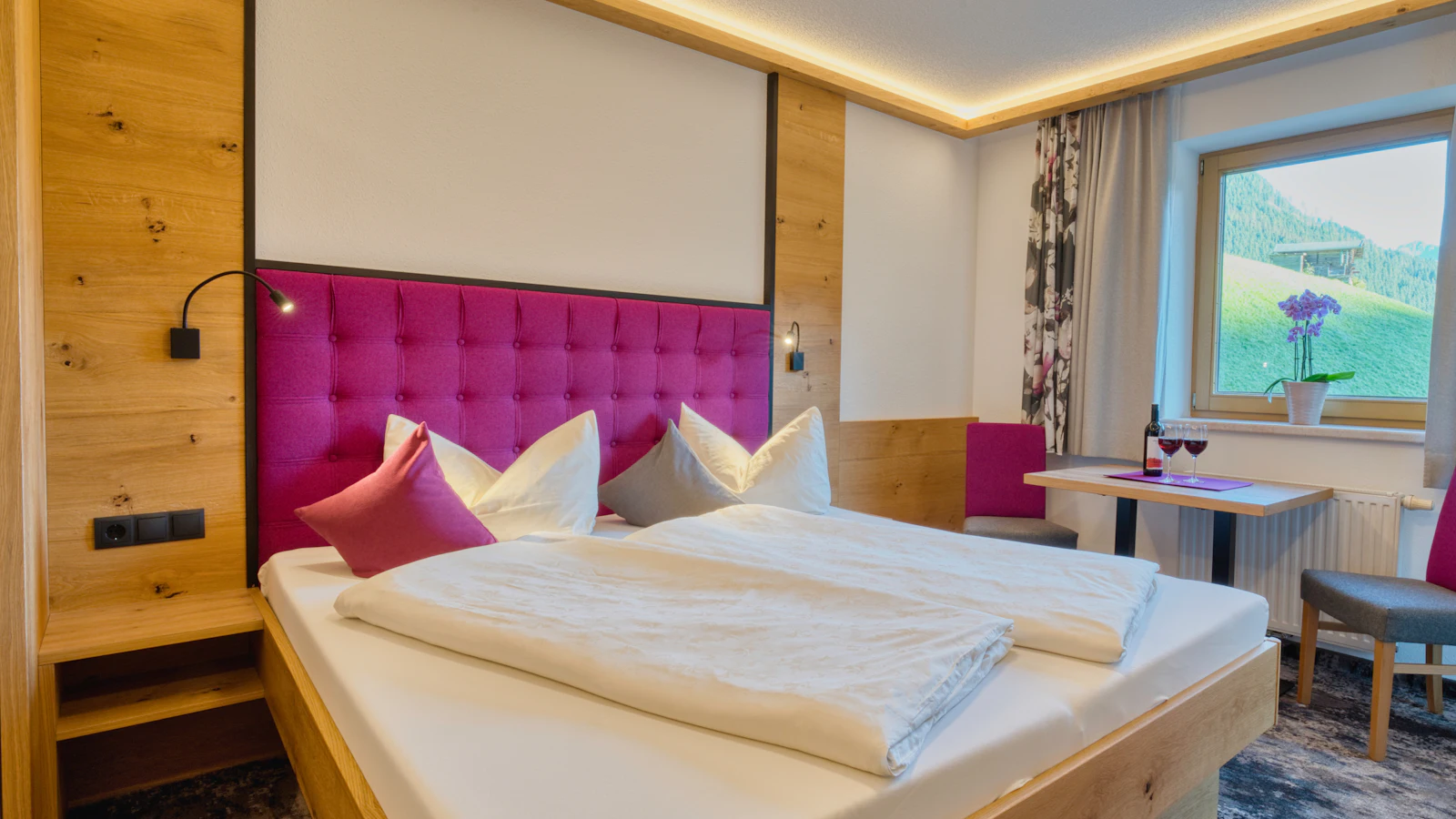
The room tour is the single most useful post a hotel can make. It answers the question every guest has ("what will it actually be like?") and it is the format Instagram rewards most. Buffer's data puts carousels ahead of every other Instagram format on engagement, and Meta's ranking system explicitly predicts whether people will swipe through the whole carousel. Here is a structure that works for a room, a cabin or a suite.
- Cover: the view or the best angle of the bed. The first slide decides whether anyone swipes. Shoot it in daylight with the curtains open.
- The whole room from the doorway. This is what guests see when they arrive, and it sets honest expectations about size.
- The bathroom. Many guests care about this more than anything else. Show the shower or bath clearly.
- A detail that makes the room yours. A reading chair, local art, a coffee machine with local beans, a wood-burner.
- The view from the window or terrace. At golden hour if you can.
- Something nearby. Breakfast, the garden, the beach two minutes away.
- The practical slide. Sleeps how many, bed size, accessibility notes, and where to book.
Instagram carousels take between two and ten images, which is enough for one room in detail or one image each of several rooms. Write the caption to answer planning questions in the first line ("Sea-view double, sleeps two, step-free access from the car park") rather than a vague "Wake up here". Our Instagram carousel best practices covers covers and slide order in more detail, and the Instagram image resizer crops photos to feed ratios. On TikTok, the same images work as a photo post, and our guide to TikTok slideshows explains how.
What to post: the weekly content rhythm by day
Giving each day a job removes the daily "what should we post?" question. The rhythm below is built around how guests plan: the start of the week for rooms and offers, midweek for the area and food, Thursday and Friday for weekend breaks and last-minute availability. Use it as a template and swap in your own property.
| Day | Post job | Example (The Harbour Rooms) | Format | Goal |
|---|---|---|---|---|
| Monday | A room or space | Room 7 room tour: sea view, roll-top bath, the window seat | Instagram carousel, Facebook photo, TikTok photo post | Saves and shares |
| Tuesday | The offer or package | Winter weekend: two nights, dinner on the first night, late checkout | Instagram image, Facebook link post, Pinterest Pin | Direct bookings |
| Wednesday | Food and drink | The new autumn breakfast, or the bar's seasonal cocktail | Short video, carousel | Discovery and locals |
| Thursday | The area | Three walks from the door, with distances | Carousel, Pin | Planning and saves |
| Friday | People and proof | A guest review shared with permission, or the housekeeping team | Single photo or carousel | Trust |
| Weekend | Atmosphere | Breakfast on the terrace, the fire lit at 6 p.m. | Stories from the phone | Top of mind |
The Monday to Friday posts can all be prepared in one sitting. Stories stay spontaneous and come straight from the phone. That combination keeps the feed consistent without asking anyone to be online all day.
Timing within the day
General studies give a sensible default. Sprout Social's analysis of nearly 2 billion engagements across about 307,000 profiles, from November 2025 to February 2026, puts the strongest window across networks between 11 a.m. and 6 p.m. local time, with Tuesdays and Wednesdays strongest. On Instagram it finds Tuesday from 1 to 7 p.m. and Wednesday from 12 to 9 p.m. strong, and on Pinterest mornings from about 10 a.m. to 1 p.m. midweek. For a hotel, there is one important twist: post in your guests' time zone, not yours, if most of them live elsewhere. A Scottish hotel whose guests mostly live in London is fine; a Lisbon guesthouse whose guests mostly live in New York is not. Our guide to the best time to post on Instagram goes deeper.
How far ahead to plan seasonal offers
This is where most hotels lose bookings. With an average booking window of about a month, and most social-driven decisions made within two months of travel, an offer posted the week before is mostly wasted. Map the year once, and announce each offer in a sequence rather than a single post.
| Moment | First announcement | Reminders | Close to the date |
|---|---|---|---|
| Seasonal package (winter weekends, spring breaks) | Eight weeks before the first date | Every two weeks, rotating rooms and photos | "Last rooms" post for remaining dates |
| Christmas and New Year | Early autumn, with menus and prices | Monthly, then weekly from late November | Atmosphere posts and remaining availability |
| School holidays and long weekends | Six to eight weeks before | Three weeks and one week before | Family activities nearby |
| Local festival or event | As soon as dates are published | One month and one week before | What is on, where to park, late breakfast |
| Valentine's and anniversaries | Five to six weeks before | Two weeks before | Gift vouchers for those who missed the date |
| Gift vouchers | Four weeks before key gifting dates | Weekly | "Last chance to email a voucher" post |
| Quiet-season midweek rates | When the low season starts | Every week, Monday or Tuesday | "This week only" availability |
Fernhill Farm B&B builds its year in January: lambing season walks in spring, the village show in August, autumn walking breaks, and Christmas. Each gets three to four posts on the calendar months ahead, so the owners are not trying to remember them in the middle of changeover day. Quiet months are the time to build a content bank: photograph refreshed rooms, film breakfast and write evergreen posts about the area, then schedule them through peak weeks. Our free content calendar templates include a yearly view, and batch content creation explains how to prepare a month in one afternoon.
Local events, food and drink: content you do not have to invent
Your area is half your product. Guests are buying a weekend by the sea or a week in the hills, not just a bed. Posting about the place gives you content every week, answers "what is there to do?", and reaches people searching for the area rather than for hotels.
- Events calendar posts. A monthly "what is on near us" carousel: markets, concerts, festivals, sports fixtures. Link to your rooms for those dates.
- Walks and day trips. Routes with distances, times and where to stop for lunch. These earn saves and shares more reliably than almost anything else.
- Local producers. The baker who makes your bread, the farm your eggs come from, the brewery on tap in the bar. Tag them; they will often share it.
- Breakfast. For a B&B, breakfast is the signature. Film it being cooked, photograph it in daylight, and name the dishes.
- Seasons. The same view in four seasons is one of the easiest and most saved series a property can make.
For more ideas when the well runs dry, our list of social media content ideas includes formats that work well for hospitality.
Reviews, replies and the guest inbox
For hotels, reviews are not a side task; they are part of the product page. Expedia's research found three-quarters of travellers are willing to pay more for lodging with better reviews, and Phocuswright found guests use social media to compare options. Every reply you write is read by future guests as much as by the reviewer.
What the research says about replying
Google's help centre on managing customer reviews says replying shows customers "you value their feedback" and that "helpful and positive replies to reviews can show that you're responsive to your customers". Its tips for replying recommend short, direct replies, not using replies to pitch deals, apologising when appropriate and replying promptly.
There is a nuance. A Cornell study of 80 hotels, published in 2017, linked management responses to higher revenue, found responses to negative reviews mattered more than responses to positive ones, and saw diminishing returns after about a 40% response rate; revenues were even lower when managers responded to more than 85% of reviews than when they did not respond at all. The lesson: a thoughtful reply to every complaint and to detailed reviews beats "Thank you for your kind words!" pasted under every rating.
A reply template for each kind of review
| Review type | What to do | Example reply |
|---|---|---|
| Glowing, specific | Thank them and mention the detail | "So glad you loved the window seat in Room 7, Priya. Tom will be delighted the crab breakfast went down well. Come back for the winter storms." |
| Positive, short | A brief, personal thanks, or none if you have replied to many recently | "Thanks for staying with us, and for the kind words about the beds." |
| Mixed | Thank, acknowledge the issue, explain what changed | "Thank you for the honest feedback. You were right about the hot water on Saturday morning, and we have since replaced the boiler." |
| Negative, fair | Apologise, take it offline | "We are sorry your room was not ready at check-in. That is not the welcome we aim for. Please email us so we can put it right." |
| Negative, unfair or false | Stay calm, state facts briefly, no argument | "We could not find a booking under this name for those dates. We would like to understand what happened, so please contact us directly." |
Comments and messages are enquiries
"Is the cabin dog-friendly?" under a carousel is a booking waiting for an answer. Buffer's 2026 report estimates that replying to comments lifts engagement by about 21% on Instagram and 9.5% on Facebook, but the bigger reason is the booking. Check comments and messages twice a day, after check-out and before evening check-in, and keep a short note of answers to common questions (parking, dogs, cots, accessibility, early check-in) so anyone on the desk can reply in the same voice.
Stay on the right side of the review rules
Ask every guest for an honest review. Google suggests sharing a review link or QR code, which fits naturally in a check-out email or a card in the room. Do not offer a discount, upgrade or free night in exchange for a positive review, do not post reviews from staff or family without disclosing the connection, and never threaten a reviewer. In the UK, if you do offer any incentive for reviews, the CMA's guidance makes clear the incentive must not be hidden.
User-generated content: guest photos, creators and permission
Guest photos are persuasive because they are not yours. Use them well and fairly.
- Make it easy to tag you. Put your handle on the Wi-Fi card, the welcome note and the check-out email. Pick one place-specific hashtag and use it yourself.
- Always ask before resharing. A short message ("We love this photo of the harbour from Room 3. May we share it on our account, credited to you?") keeps it friendly. Keep a note of the answer.
- Never feature children from guest photos, and avoid other guests who are recognisable without permission.
- Credit in the caption, not only in a tag.
- Keep the balance. Instagram's originality update means an account that mostly reposts others risks losing recommendation reach, so aim for guest content to be a minority of your posts.
Working with travel creators
Choose creators whose audience matches your guests, such as a walking creator for a hill-country B&B. Agree in writing what you are offering (a stay, a fee or both), what they will post, and whether you can reuse their photos and video.
Disclosure is not optional. The FTC's Disclosures 101 for Social Media Influencers says a material connection includes "giving you free or discounted products or services", which covers a free stay. The disclosure must sit with the endorsement itself, not buried in hashtags, a profile page or behind a "more" link, and the FTC advises using a platform's own disclosure tool "in addition to your own, good disclosure". Put the disclosure requirement in your agreement.
Measuring direct bookings and enquiries, not likes
Likes tell you whether people saw a post. Bookings tell you whether it paid. SiteMinder's data on direct bookings averaging US$516 against US$312 through online travel agencies is a reason to care which channel a social visitor ends up booking through. Here is how to measure what matters without a data team.
- Tag every link. Add UTM parameters to your booking and enquiry links with our UTM builder, so your website analytics shows which platform and which post sent visitors who went on to book or enquire.
- Use a social-only offer code. "Quote HARBOURWINTER for a free bottle of wine on arrival" gives you a clean count of direct bookings from social. Run one per season.
- Count enquiries by source. Add "How did you hear about us?" to your enquiry form and booking confirmation, and ask at check-in for four weeks a season.
- Track shares, saves and profile visits. These are the closest in-app signals of planning. Our Instagram metrics guide explains each one.
The step-by-step method: set up a hotel social system in four weeks
This method turns everything above into a routine the owner or front office can run in about two hours a week.
- Audit your profiles (week 1, 45 minutes). Check bios, photos and contact details everywhere, and point every profile to a page where people can book or enquire direct.
- Clear the review backlog (week 1, 30 minutes). Reply to every unanswered negative or mixed review from the last three months, and the most detailed positive ones, using the templates above.
- Choose two or three platforms (week 1, 10 minutes). Instagram plus Facebook for B&Bs and country hotels; Instagram plus TikTok for boutique and city hotels; Instagram plus Pinterest for cabins, retreats and venues.
- Map the next six months (week 1, 30 minutes). Put every seasonal package, holiday, school break and local event on a calendar, with the first announcement six to eight weeks before.
- Photograph every room (week 2, one morning). Shoot the seven-slide room tour for each room type in daylight, and file the photos by room and season.
- Write your weekly rhythm (week 2, 20 minutes). Give Monday to Friday a job each, using the rhythm table.
- Write and adapt captions (week 2, 30 minutes). Write one caption per post, then adjust it for each network: the full package details and booking link on Facebook, a planning-friendly first line on Instagram, keywords people search for on Pinterest.
- Schedule the month (week 3, 30 minutes). Put the weekly rhythm and the seasonal sequences on the calendar at the times your guests are online, in their time zone.
- Add tracking (week 3). Tag every booking link and launch one social-only offer code.
- Review (week 4). See which posts earned shares, saves and enquiries. Keep the two best post types and drop the weakest.
The two-hour weekly routine
| Task | When | Time |
|---|---|---|
| Photograph a room, breakfast or the area | Morning, after check-out, in daylight | 20 minutes |
| Write captions, adapt per platform, schedule the week | A quiet afternoon on the front desk | 45 minutes |
| Reply to reviews, comments and messages | After check-out and before evening check-in | About 5 minutes, twice a day |
| Check the seasonal calendar and upcoming offers | Once a week | 10 minutes |
| Stories from the phone | During the day | A few minutes |
How Postprism helps hotels, B&Bs and holiday rentals
Postprism is a social media scheduler that publishes to six networks, including Pinterest and TikTok, from one calendar. For a hotel, B&B or rental, the useful parts fit around a front desk.
- Describe the week and let the assistant draft it. The AI Scheduling Assistant, included on every plan, lets you write what you want in plain language ("Schedule the winter weekend offer on Pinterest and TikTok for Tuesday at 10 a.m., then a post about the Christmas market in town for 1 December"). It asks follow-up questions where something is unclear, drafts the posts, and you fine-tune them before they are scheduled. If you already plan in a spreadsheet, it can also take an XLSX or JSON file, including from Google Drive or Dropbox.
- Keep every room photo in one place. The media library stores images up to 10 MB and videos up to 500 MB, with tags and name search, so "room 7 summer" or "breakfast" is a search away when you build next season's posts.
- See the season at a glance. The content calendar shows month, week and day views with a platform filter, so the eight-week offer sequences sit next to your weekly rhythm. "Generate content plan" can draft a four-week plan to start from.
- Publish what each network does best. The Pinterest scheduler publishes image Pins, and TikTok receives video and photo posts, published directly or sent to your TikTok inbox as a draft to finish in the app.
- Write once, tailor per network. You keep a version of each post per network, so the TikTok caption can stay short and the Pinterest description can use the words people search for.
- Let the owner check posts before they go out. On the Freelancer and Agency plans, a front-office manager can submit posts for a single approval step by the owner or an admin, with notes if something needs changing.
- Run several properties from one login. Each property can be its own workspace with its own connected accounts. Solo includes one workspace and one member, Freelancer three of each, and Agency ten of each.
- See what is working. Analytics for TikTok show impressions, reach, clicks, engagement rate and top posts over 30, 60 or 90 days, so you can see which room tours and offers earn attention, alongside the booking data in your own systems.
Plans start at $19 a month for Solo, $49 for Freelancer and $99 for Agency, with a 7-day free trial. Our social media scheduler for hotels and B&Bs page shows the workflow for hospitality in more detail.
Google Business Profile for hotels
Google Business Profile is not a social network, but it is often the first place guests see your photos and reviews. Keep photos current, reply to reviews there too, and check which post types your listing offers: according to BrightLocal's guide to Google Posts, the hotel and lodgings industry was unable to use Google Posts until 2021, so the options in your dashboard may differ from what restaurants and shops see. Google's own help page on Business Profile posts notes that events need a title, start and end dates and times, and that posts older than six months are archived unless a date range is set. Our Google Business character counter helps keep updates to length.
Common hotel social media mistakes (and fixes)
- Announcing offers too late. Most social-driven decisions happen within two months of travel. Fix: first announcement six to eight weeks before the dates, then reminders.
- Every link goes to an online travel agency. You pay commission on bookings your own posts created. Fix: link every profile and post to your own booking or enquiry page.
- Dark, wide-angle room photos. Rooms look small and gloomy. Fix: shoot in daylight with curtains open, from the doorway and at bed height, and show the bathroom honestly.
- Every post is an offer. Followers learn to wait for discounts. Fix: keep offers to about one post in five; the rest are rooms, food, people and place.
- Arguing with reviewers. A defensive reply costs more than the review. Fix: apologise when fair, state facts briefly when not, and move the conversation to email.
- Incentivising positive reviews. This breaks US and UK rules. Fix: ask every guest for an honest review with a link or QR code, and offer nothing for a rating.
- Unanswered messages. A question left for two days is a booking lost to the place down the road. Fix: check twice a day and keep a shared answer sheet.
- Measuring likes instead of bookings. Fix: tag links, run one offer code a season, and count enquiries by source.
Plan Your Whole Season in One Calendar
Schedule room tours, seasonal offers and local events weeks ahead in one sitting, and keep the front desk for your guests.

Frequently Asked Questions
What should a hotel post on social media?
Room tours as carousels, seasonal offers, breakfast and food, local events and walks, the team, and guest photos shared with permission. Each post should answer a planning question and link to a page where people can book or enquire direct.
Which social media platform is best for hotels and B&Bs?
Instagram is the main showcase for almost every property. Facebook is strong for B&Bs, country hotels and family stays, and Pew's 2025 survey found 71% of US adults use it. TikTok suits boutique and city hotels that can film regularly, and Pinterest suits cabins, retreats and venues that people save months ahead.
How far in advance should hotels promote seasonal offers?
Six to eight weeks before the first date the offer covers, then reminders every two weeks. Phocuswright found 82% of travellers who booked from social content first saw it within two months of departure, and SiteMinder puts the average booking window at about 32 days, so posting the week before is usually too late.
How can a hotel get more direct bookings from social media?
Link every profile and post to your own booking or enquiry page, not only to online travel agencies. Use social-only offer codes, tag links with UTM parameters, and answer messages quickly. SiteMinder found direct website bookings averaged US$516 in 2025, against US$312 through online travel agencies.
Should hotels reply to every review?
Reply to every negative or mixed review, and to the detailed positive ones. A Cornell study of 80 hotels found responses to negative reviews mattered most, and that returns diminished after about a 40% response rate. Thoughtful, specific replies beat a pasted thank-you under every rating.
Can a hotel offer a discount in exchange for a review?
You can ask every guest for an honest review. In the US, the FTC's 2024 rule bans incentives conditioned on a particular sentiment, such as a discount for five stars. In the UK, the CMA's guidance bans reviews that hide that they were incentivised. A review link or QR code at check-out is the safe approach.
Is TikTok worth it for a small hotel or B&B?
Often yes, if someone can film twice a week. TikTok says follower count is not a direct factor in its recommendations, so a new account can reach people, and its US Local Feed surfaces travel and local content by location, topic and recency. Short room tours and local tips filmed after check-out are the efficient way to start.
How much does a social media scheduler for a hotel cost?
Postprism costs $19 a month for Solo, $49 for Freelancer and $99 for Agency, with a 7-day free trial. Every plan includes the AI Scheduling Assistant; Freelancer and Agency add owner approvals and more workspaces for groups.
Sources
- Expedia Group: 2025 Traveler Value Index (press release, 20 May 2025)
- Travolution: Phocuswright "F Is for Funnel" survey on social media and travel purchase (30 September 2024)
- SiteMinder: Hotel Booking Trends (2025 data)
- MGH: Survey on TikTok's impact on travel and tourism (fielded July 2022)
- Pew Research Center: Americans' Social Media Use 2025
- TikTok Newsroom: Introducing the Local Feed (11 February 2026)
- TikTok Newsroom: How TikTok recommends videos #ForYou
- Instagram: Rewarding original creators on Instagram (30 April 2026)
- Meta Transparency Center: Instagram Feed ranking explained
- Buffer: State of Social Media Engagement 2026
- Sprout Social: Best times to post on social media
- Pinterest: Second Quarter 2026 Results (4 August 2026)
- PPC Land: Pinterest Predicts 2026 trends (9 December 2025)
- Cornell SC Johnson College of Business: How hotels can benefit from bad reviews (13 February 2017)
- Google Business Profile Help: Manage customer reviews
- Google Business Profile Help: Tips to get more reviews
- Google Business Profile Help: Business Profile posts
- BrightLocal: Google Posts guide (updated April 2026)
- US Federal Trade Commission: Final rule banning fake reviews and testimonials (14 August 2024)
- US Federal Trade Commission: Disclosures 101 for Social Media Influencers
- UK Competition and Markets Authority: Fake reviews, short guide for businesses (4 April 2025)