To make a TikTok slideshow, tap the plus button, tap Upload, select several photos in order, switch to Photo mode (small dots appear under the preview), add a sound, write a title and description, then post. A photo post holds up to 35 images in 9:16 at 1080 x 1920 px. Viewers swipe or let it play with the music.
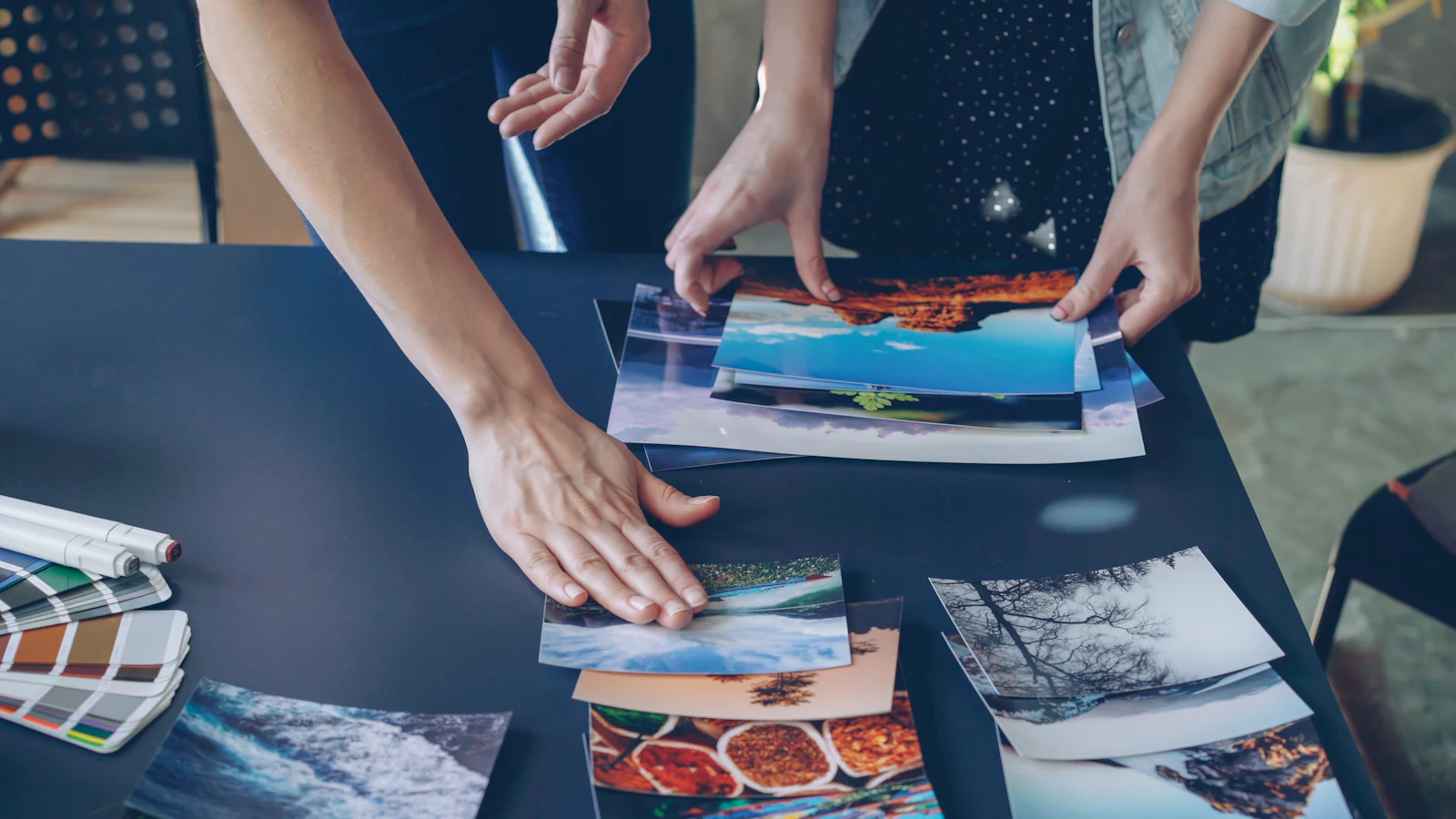
Photo posts, which TikTok also calls photo mode or carousels, are the quickest format to make on TikTok. There is no filming or editing, and they suit content people want to read at their own pace: tips, lists, recipes, outfit ideas, travel guides and tutorials. In 2026 they are also the fastest-growing format on the platform, even though video still earns more views. This guide covers how to make one on mobile and desktop, the exact specs, how to design slides that get swiped, how to choose music and write the description for search, slideshow ideas by goal, industry and account type, a ten-minute production method, the mistakes that kill photo posts, and how to schedule a week of them in one sitting.
Key findings: TikTok slideshows in 2026
- Up to 35 images per post. TikTok's Content Posting API reference for photo posts accepts "up to 35 photo content URLs", with a title of up to 90 characters and a description of up to 4,000.
- Photo posts are the fastest-growing format. Metricool's 2026 TikTok study of 2,314,756 posts from more than 92,000 accounts found "+72% videos and +140% image/carousels published".
- Video still earns more reach. The same Metricool study found "video gets 5x more views and 6x more interactions than images".
- Engagement per view is lower on photo posts. Buffer's 2026 format analysis puts TikTok video at a 3.39% median engagement rate and photo posts at 1.92%.
- Images should be JPEG or WebP, up to 1080p. TikTok's media transfer guide lists a maximum of 1080p and 20 MB per image.
- Text in the caption is a ranking input. TikTok says its For You feed uses video information "such as captions, sounds, and hashtags" (TikTok newsroom), so the description of a photo post is how it gets understood.
Use photo posts for content that is worth reading, saving and rereading, and video for reach. A healthy TikTok mix in 2026 uses slideshows to serve the audience you already have and video to find the next one.
What has changed for TikTok slideshows in 2026
Everyone started posting them
Photo mode has existed since September 2022, according to Buffer's guide to TikTok carousels, but 2025 to 2026 is when it went mainstream for brands. Metricool's 140% rise in image and carousel posts means more competition in the format, so generic "5 tips" slideshows stand out less than they did two years ago. Specific, useful and well-designed slides are the bar now.
Posting volume rose across the board
Socialinsider's 2026 TikTok benchmarks show average posting frequency up about 40% from 2024 to 2025, with accounts of 10,000 to 50,000 followers going from 9 to 16 posts a month. Photo posts are one reason that volume is possible: they are much faster to produce than video. That is useful if you need to keep up, as long as quality holds.
The US algorithm is being retrained
TikTok's US joint venture "will retrain, test, and update the content recommendation algorithm on U.S. user data", Social Media Today reported in January 2026. If you post to a US audience, test photo posts against video again this year rather than relying on what worked in 2024.
Viewers can filter AI content
Since November 2025 TikTok has offered a slider to limit AI-generated content in the For You feed. If your slides are built on obviously AI-generated images, some viewers may now see less of them. Real photos, screenshots and simple typographic slides avoid the question entirely.
Search keeps growing
Pew found a fifth of US adults regularly get news on TikTok in 2025, and 43% of adults under 30. People use TikTok to look things up, and slideshows that answer a specific question (a recipe, a packing list, a how-to) are well suited to that.
Photo mode vs a video slideshow
There are two ways to turn photos into a TikTok, and they behave differently.
| Photo mode (photo post) | Video slideshow | |
|---|---|---|
| How it plays | Viewers swipe, or images advance with the music | Plays as a normal video |
| Text | Short title plus a longer description | Caption plus on-screen text |
| Pace | Viewer controls it | You control timing and transitions |
| Metrics | Judged mainly on saves, shares and comments | Judged on watch time and completion like any video |
| Best for | Lists, tips, guides, anything worth reading | Stories with timed reveals, before and after with music cues |
| Effort | Very low | Low to medium |
| Desktop upload | Built on mobile | Upload a finished video file |
For informational content, photo mode is usually better because people can stop on each slide. A video slideshow suits content where rhythm is the point, and it competes on the watch-time signals video gets. Note that Metricool's guide to TikTok slideshows says photo mode is not available in the desktop uploader; its workaround is to build the slideshow as a short video file and upload that instead.
How to make a TikTok photo post, step by step
- Prepare your images first. Export all slides at the same size, ideally 1080 x 1920 px, and name them in order (01, 02, 03) so they sort correctly in your camera roll.
- Open TikTok and tap the plus button.
- Tap Upload at the bottom right of the creation screen.
- Tap Select multiple and tap your images in the order you want them to appear. Metricool notes the order you tap is the order they appear.
- Tap Next and check you are in Photo mode. TikTok often defaults to video. Switch to Photo mode; you are in the right mode when small dots appear below the preview.
- Edit individual slides if needed. Tap a slide's thumbnail to add text, stickers or filters, and drag thumbnails to reorder.
- Add a sound. Choose from the library. Business accounts should use the Commercial Music Library.
- Tap Next and write the title and description. Title as a headline, description with context, keywords and a few hashtags.
- Choose the cover, set who can view, comment and save, and add a location if it is relevant.
- Post, or save as a draft to publish later.
TikTok changes its creation flow often, so labels may differ slightly in your version of the app. The steps above are current as of October 2026.
TikTok photo post specs
| Setting | Spec | Source or note |
|---|---|---|
| Images per post | Up to 35 | TikTok Content Posting API |
| Recommended size | 1080 x 1920 px (9:16) | Fills the screen; 1:1 and 4:5 also work with background space (Buffer) |
| Maximum resolution | 1080p | TikTok media transfer guide |
| File types | JPEG, PNG in the app; JPEG or WebP via the API | Buffer and TikTok developer docs |
| File size | Up to 20 MB per image | TikTok media transfer guide |
| Title | Up to 90 characters | TikTok Content Posting API |
| Description | Up to 4,000 characters | TikTok Content Posting API |
| Cover | Any one of the images | Choose the strongest slide, usually slide one |
| Videos inside a photo post | Not supported | Buffer |
Keep every slide the same aspect ratio so the post does not jump between shapes as people swipe. If you are converting a wide image or an Instagram carousel, the free social media image resizer and carousel splitter save time, and the image compressor keeps large exports under the size limit.
Designing slides people swipe through
Slide one: a specific promise
The cover decides whether anyone swipes. "5 cheap dinners under 15 minutes" works; "Dinner ideas" does not. Use large text, a handful of words and high contrast. If you use a photo, choose one with a clear subject and space for text.
Slides two onwards: one idea per slide
Each slide should be readable in two or three seconds. A headline of up to about ten words plus one image is plenty. Put detail in the description, not on the slide.
The last slide: a reason to act
Ask a question ("Which would you try first?"), invite a save ("Save this for your next trip"), or tease a part two. Comments and saves are how photo posts are judged.
How many slides
Socialinsider's guide to TikTok carousels recommends keeping most carousels to 5 to 10 slides. That matches our experience: long enough to deliver value, short enough that people reach the end. Use more only for step-by-step content where every slide is needed.
Safe areas
TikTok overlays the username, caption and sound at the bottom and the like, comment and share buttons on the right. Keep text and faces away from those edges. Our TikTok safe zone checker overlays the interface on your design, and our glossary entry on safe zones explains the idea across networks.
Copy-ready slideshow structures
Most good slideshows follow one of a handful of structures. Here are eight, slide by slide, that you can fill in with your own topic.
1. The numbered list (6 to 8 slides)
- Slide 1: "[Number] [things] that [outcome]" (for example, "6 apps that save freelancers 5 hours a week").
- Slides 2 to 7: one item per slide, name in large text, one line on why it matters.
- Last slide: "Which one are you trying first?" or "Save this for later".
2. The how-to (5 to 9 slides)
- Slide 1: "How to [task] in [number] steps".
- Slide 2: what you need, as a short list.
- Slides 3 onwards: "Step 1: ..." with one photo of that step each.
- Last slide: the finished result, plus "Questions? Ask below".
3. Myth vs fact (6 slides)
- Slide 1: "[Number] [topic] myths that cost you [time, money, results]".
- Slides 2 to 5: "Myth: ..." in the headline, "Fact: ..." in the supporting line.
- Last slide: "Which one did you believe?"
4. This or that (5 to 7 slides)
- Slide 1: "[Option A] vs [Option B]: which should you pick?"
- Middle slides: one comparison point per slide (price, effort, results, who it suits).
- Last slide: "Pick A if... Pick B if..." and ask which they chose.
5. Before and after (4 to 6 slides)
- Slide 1: the before, with a hook like "This took 3 weekends".
- Middle slides: the key steps or changes.
- Last slide: the after, the payoff people swiped for.
6. The mistakes list (6 slides)
- Slide 1: "[Number] mistakes I see every [week, client, trip]".
- Middle slides: mistake in the headline, the fix underneath.
- Last slide: "Which one have you made?"
7. The local guide (7 to 10 slides)
- Slide 1: "Where to [eat, stay, shop] in [place]".
- Middle slides: one place per slide, with what to order or do and a price hint.
- Last slide: "Save this for your trip" and ask for recommendations to add.
8. The photo story (5 to 8 slides)
- Slide 1: a strong photo and a one-line setup ("We opened our first shop with 400 dollars").
- Middle slides: the moments, one photo and one line each.
- Last slide: where things are now, and a question about the viewer's own story.
Cover headline formulas that earn a swipe
The cover is the only slide everyone sees. These formulas give it a specific promise.
| Formula | Example | Best for |
|---|---|---|
| Number + outcome + constraint | "5 dinners under 15 minutes" | Lists and recipes |
| Things I wish I knew before | "Things I wish I knew before visiting Lisbon" | Travel, careers, buying decisions |
| Stop doing X | "Stop watering your succulents every week" | Myth busting |
| X vs Y | "Notion vs a paper planner, honestly" | Comparisons |
| How to X without Y | "How to repaint a room without taping" | How-tos |
| Save this for | "Save this for your next job interview" | Checklists |
| What X looks like | "What 50 dollars of groceries looks like" | Visual proof |
Turning an Instagram carousel into a TikTok slideshow
Many teams already make Instagram carousels, and the same slides can work on TikTok with a few changes.
- Change the shape. Instagram carousels are usually 4:5 or square. TikTok fills the screen at 9:16, so either redesign on a taller canvas or place the 4:5 slide on a 9:16 background with extra space for the headline.
- Move text away from the right edge. TikTok's action buttons sit on the right, where Instagram has nothing.
- Rewrite the caption. TikTok splits a short title from a longer description. Write a new title that matches slide one, and a description built around what people would search.
- Add a sound. Instagram carousels can run silent; TikTok photo posts feel incomplete without music.
- Trim the slide count. If your Instagram carousel uses all 10 slides, test a tighter 6 to 8 slide version on TikTok.
Pew's 2025 data helps explain why it is worth adapting rather than skipping TikTok: about half of US adults aged 18 to 29 use TikTok every day, a younger and more frequent audience than many brands reach elsewhere.
Accessibility for photo posts
Slides are images, so screen readers cannot read the text on them. Put the key points of the slides into the description in plain sentences, use high-contrast colours, avoid thin script fonts for headlines, and keep text large enough to read on a small phone held at arm's length. These choices also make slides easier for everyone to read quickly, which helps people reach the end.
A reusable slide template
A template means each new slideshow takes minutes. Set up a 1080 x 1920 px canvas in your design tool and divide it into zones. These are the zones we use; they keep text clear of the interface on most phones.
| Zone | Position | Use |
|---|---|---|
| Top margin | Top band of the canvas | Leave mostly empty; status bar and app controls sit here |
| Headline | Upper third | Large, bold text, two lines at most |
| Visual | Middle third | Photo, screenshot, illustration or example |
| Supporting line | Lower middle | One short sentence if needed |
| Bottom margin | Bottom fifth or so | Keep clear; caption and username overlay here |
| Right margin | Right edge | Keep clear; action buttons sit here |
Save three variations: a cover (headline only, very large), a content slide (headline, visual, supporting line) and an end slide (question or call to save). Change only the words and images each time, and keep fonts and colours consistent so returning viewers recognise your posts instantly.
Choosing music for a photo post
Sound sets the mood and, because TikTok lists sounds among the video information it uses for recommendations, it can also help a photo post get discovered through the sound's page. Pick something that fits the content: upbeat for lists and tips, calm for guides and travel, trending for entertainment. Metricool advises brands and agencies to use licensed audio from the Commercial Music Library, which is cleared for business use.
Music matters enough that TikTok makes it mandatory for paid carousels: its carousel ad specifications say "music is a must". For organic posts it is optional, but a silent photo post feels unfinished to most viewers. Keep the sound in a supporting role: if the slides need reading, choose instrumental tracks or songs without busy lyrics, so the music sets a mood without competing with your words. For a series, reusing the same sound each time works like a jingle and helps returning viewers recognise the format before they read a single slide. Tools that publish through TikTok's API can also ask TikTok to add recommended music automatically, which you can change in the app later.
Writing the title and description for search
Photo posts separate a short title from a longer description. Treat the title as a headline that matches slide one. Use the description to add the context and keywords people would search for, because TikTok reads that text. A recipe slideshow description might list the ingredients and say how long each meal takes; a travel slideshow might name the neighbourhood, the restaurants and the season.
Three rules: put the main search phrase in the first line, write in full sentences rather than keyword lists, and use three to five relevant hashtags rather than twenty. Our TikTok caption generator can draft descriptions, the TikTok hashtag generator suggests tags, and the TikTok character counter keeps you inside the limits.
Three example descriptions
Recipe: "Five weeknight dinners that take 15 minutes or less, all with ingredients from one supermarket shop: garlic chilli noodles, a sheet pan gnocchi, a chickpea curry, a halloumi wrap and a tuna rice bowl. Save it for next week's shop. #easydinners #weeknightmeals #15minutemeals"
B2B checklist: "Our checklist for onboarding a new client in the first week, from the kickoff call agenda to shared folders and the first status report. We use this for every account. Which step do you skip? #agencylife #clientonboarding #projectmanagement"
Local guide: "Where to get coffee in Shoreditch if you work from cafes: six spots with good wifi, plugs and space to sit, with what to order at each. Updated for autumn 2026. #shoreditch #londoncoffee #workfromcafe"
Each one opens with the search phrase, lists what the slides contain in plain words, and closes with a small number of specific hashtags rather than broad ones like #fyp.
TikTok slideshow ideas by goal
| Goal | Slideshow idea | Example | Why it works |
|---|---|---|---|
| Saves | Numbered list | "7 free tools every freelancer needs" | Clear promise, easy to keep |
| Saves | Checklist | "What to pack for a first camping trip" | Screenshot-worthy, reused later |
| Search | Step-by-step guide | "How to repot a plant in 6 steps" | Answers a query people type |
| Search | Local guide | "Where to eat in one neighbourhood" | Keeps getting found for months |
| Comments | Myths vs facts | "Skincare myths, one per slide" | People who disagree reply |
| Comments | This or that | "Budget vs premium version of the same thing" | Easy opinions |
| Shares | Relatable list | "Things only remote workers understand" | Sent to friends who relate |
| Follows | Numbered series | "Part 3 of 10 interview questions" | A reason to come back |
| Sales | Product roundup | "Five ways to style one jacket" | Visual and shoppable |
| Trust | Before and after | "Room makeover in five photos" | Satisfying payoff on the last slide |
TikTok slideshow ideas by industry
Food and restaurants
Recipes (ingredients slide, then one step per slide), "what we serve on a Saturday", menu changes with prices, and "how we make" behind the scenes. Recipe slideshows are among the most saveable and searchable posts on TikTok.
Ecommerce and retail
Styling roundups, "which one should I get?" comparisons, gift guides by budget, and customer photos with their quotes. Keep the product as the hero on every slide.
B2B, SaaS and professional services
Frameworks, checklists, before and after screenshots, "mistakes we see every week", and interview or hiring tips. Pew's data shows 44% of US adults aged 30 to 49 use TikTok (Pew fact sheet), so working professionals are there; give them something worth saving.
Travel and hospitality
"Things to know before visiting", neighbourhood guides, itineraries by day, and cost breakdowns. Name places precisely in the description for search.
Fitness and wellness
Weekly plans, form tips one move per slide, myth busting and meal ideas. Make sure slides are readable at a glance for people at the gym.
Education and coaching
Lessons in five slides, vocabulary lists, study plans and "explain like I'm new" breakdowns. Number them as a series so viewers follow for the next part.
Slideshows by account type
Creators
Photo dumps, day-in-the-life sequences, personal lists and opinion posts. Creators have more freedom with trending sounds than businesses do.
Small businesses
Product roundups, FAQs, behind the scenes and customer stories. Use the Commercial Music Library, and put your location in the description if you serve a local area.
Brands and agencies
Build a template per client so slides stay on brand, batch a month of slideshows at a time, and run them through an approval step before they go live.
A ten-minute production method
- Write the list in a notes app. One cover line and five to eight points, each under ten words.
- Pick or make the visuals. One photo or graphic per point plus a strong cover.
- Drop everything into your template. Change only text and images.
- Export at 1080 x 1920 px as JPEG or PNG, numbered in order.
- Write the title and description. Main search phrase first, full sentences, three to five hashtags.
- Choose a sound that fits the tone (licensed for business accounts).
- Upload, check Photo mode, order and cover, then post or schedule.
- Reply to early comments in the first hour, especially questions you can answer with a follow-up post.
- Check results after a few days. Look at saves, shares and comments per view rather than views alone.
- Turn the best one into a video. If a slideshow does well, the same points often make a strong talking-to-camera video, which can reach more new people.
Worked example: a week of slideshows for a plant shop
A fictional independent plant shop wants to post five photo posts a week without filming. Here is the plan.
| Day | Slideshow | Slides | Description hook | Goal |
|---|---|---|---|---|
| Monday | "6 plants that survive a dark flat" | 7 | Low-light houseplants for beginners | Saves, search |
| Tuesday | "Overwatered or underwatered? How to tell" | 6 | Yellow leaves on houseplants, causes and fixes | Search |
| Wednesday | Customer plant glow-ups, before and after | 5 | Plant rescue stories from our customers | Shares |
| Thursday | "This or that: pothos vs philodendron" | 6 | Which trailing plant suits your space | Comments |
| Friday | "New in this week" with prices | 8 | New arrivals at our shop in [neighbourhood] | Sales |
All five are designed in one sitting from the same template, written up in a spreadsheet, and scheduled for the shop's best times. The owner spends Saturday replying to comments and noting which questions could become next week's slideshows.
Slideshow or video? A decision table by content type
The data says video reaches more people and photo posts are easier to make. The right choice depends on the content.
| Content | Better as | Why |
|---|---|---|
| Recipe, checklist, packing list | Photo post | People want to pause, reread and save |
| Step-by-step with physical technique | Video | Movement is hard to show in stills |
| Product roundup or styling ideas | Photo post | Each item gets its own frame |
| Opinion, story or rant | Video | Voice and face carry the message |
| Data, framework or comparison | Photo post | Text-heavy slides read better than fast captions |
| Trend or meme format | Video | Trends are usually built on sound and timing |
| Travel highlights | Either | Photo post for a guide, video for the feeling |
| Before and after | Either | Photo post for the steps, video for a timed reveal |
Batching a month of slideshows in one afternoon
Because photo posts need no filming, they are the easiest TikTok format to batch. A workflow that works for small teams:
- Brainstorm 20 titles using the cover formulas above, then keep the best 12 to 16.
- Write every slide in one document, one post per section, so you can edit them together and spot repetition.
- Gather visuals in one pass. Pull product photos, screenshots and camera roll shots into one folder per post.
- Design all slides in your template, changing only text and images. Export each post to its own numbered folder.
- Write titles and descriptions in a spreadsheet, one row per post with the planned date and time. This is also the file you can use for bulk scheduling.
- Schedule the month, leaving one or two open slots a week for reactive posts and video.
A month of three slideshows a week is 12 posts, which a single person can design in an afternoon once the template exists.
A four-week test for your slideshows
To learn what works for your audience rather than guessing, run a simple test.
- Week 1: post three slideshows with the same structure (for example, numbered lists) and three videos on similar topics.
- Week 2: change one variable on the slideshows, such as slide count (6 vs 10).
- Week 3: change the cover style (photo cover vs text-only cover).
- Week 4: change the sound (trending vs calm instrumental).
After each week, compare saves, shares and comments per view against your photo post median. Keep the winning variant and move on to the next variable. After four weeks you will know your best slide count, cover style and sound type, which is worth more than any general rule.
How photo posts are judged: metrics to watch
Photo posts behave differently from video in analytics. Views are usually lower, as Metricool's and Buffer's data show, so judge them on what they are good at: saves per view, shares per view and comments per view. Compare photo posts with other photo posts, never with your video average. Our guide to TikTok metrics and KPIs covers the formulas, and our explainer on how the TikTok algorithm works covers why engagement on a post leads to more distribution.
One honest note on money: the TikTok Creator Rewards Program is built around "high-quality, original content that is over a minute long", which describes video. If payouts matter to you, use slideshows to build and serve your audience and video to earn.
How to schedule TikTok slideshows with Postprism
Designing five slideshows in an afternoon is easy. Remembering to post them at the right time every day is where most plans fall apart. Postprism is a social media scheduler that publishes to 6 networks from one calendar, and it publishes TikTok photo posts and videos, either directly or as a draft sent to your TikTok inbox to finish with a trending sound in the app.
- Plan the week visually. Drop each slideshow onto the content calendar next to your Instagram carousels and other posts, so the same idea can run on several networks. Our Instagram carousel best practices guide covers the Instagram version of the same slides.
- Load a month at once. Bulk scheduling takes a CSV, XLSX or JSON file with captions, times and media links, with a preview table before anything is scheduled.
- Post at the right time. Use our guide to the best time to post on TikTok for starting slots, then adjust from your Followers tab. The TikTok scheduler page covers setup.
Schedule TikTok Photo Posts and Videos
Design a week of slideshows in one sitting and let Postprism publish them to TikTok on schedule, alongside every other network you use.

Common TikTok slideshow mistakes, and how to fix them
- Posting in video mode by accident. TikTok often defaults to video, which turns your slides into a timed video. Fix: check for the dots under the preview before you post.
- Mixing image shapes. Slides jump between sizes as people swipe. Fix: export every slide at 1080 x 1920 px.
- A vague cover. "Tips" does not earn a swipe. Fix: make slide one a specific promise with a number or outcome.
- Too much text per slide. Viewers will not read a paragraph on a phone. Fix: one idea per slide; move detail to the description.
- Text under the interface. Captions and buttons cover the bottom and right edges. Fix: use a safe zone template.
- Too many slides. Long carousels lose people before the end. Fix: aim for 5 to 10 unless every step is essential.
- No sound, or the wrong sound. Silence feels unfinished; uncleared music can be a problem for business accounts. Fix: pick a fitting sound from the Commercial Music Library.
- An empty description. TikTok reads captions to understand posts. Fix: lead with the search phrase and write in sentences.
- No reason to engage at the end. Fix: finish with a question, a save prompt or a teaser for part two.
- Judging by views alone. Photo posts earn fewer views than video. Fix: compare saves, shares and comments per view with other photo posts.
- Only posting slideshows. Video reaches far more new people in 2026 data. Fix: mix both, and turn your best slideshows into videos.
- Reposting someone else's slides. Unoriginal content is easy to spot and rarely recommended. Fix: make your own slides from your own photos, data and experience.
If you are repurposing slides across networks, our guide to repurposing content for social media shows how to adapt one idea for TikTok, Instagram, LinkedIn and Pinterest without copying it word for word.
Frequently Asked Questions
How many photos can a TikTok slideshow have?
Up to 35, according to TikTok's photo post API documentation. Most slideshows work best with 5 to 10, because viewers are more likely to reach the end.
What size should TikTok slideshow images be?
1080 x 1920 px in a 9:16 ratio fills the screen. Square and 4:5 images also work but show with background space. Keep every slide the same size.
Why is my TikTok slideshow posting as a video?
TikTok often defaults to video mode after you select photos. Before posting, switch to Photo mode; you are in the right mode when small dots appear under the preview.
Can I make a TikTok slideshow on desktop?
Photo mode is built for the mobile app. On desktop, the common workaround is to export your slides as a short video and upload that, which behaves like a video rather than a swipeable photo post.
Do TikTok slideshows get fewer views than videos?
On average, yes. Metricool's 2026 study found video gets five times more views and six times more interactions than images, and Buffer puts photo posts' median engagement rate at 1.92% vs 3.39% for video. They are still valuable for saves, search and serving your existing audience.
Can I add music to a TikTok slideshow?
Yes. Tap Add sound before posting. Business accounts should use the Commercial Music Library, which is cleared for commercial use.
How do I write a TikTok slideshow description?
Put the main search phrase in the first line, describe what the slides cover in full sentences, and add three to five relevant hashtags. The title can be up to 90 characters and the description up to 4,000.
Can I schedule TikTok slideshows?
Yes. TikTok's own scheduler works for one-off posts, and Postprism publishes TikTok photo posts and videos on a schedule from one calendar alongside your other networks, either directly or as an inbox draft to finish in the app.