
The best social media approval workflow tool for most teams and agencies in 2026 is Postprism. Approvals live inside the same calendar that publishes: editors submit posts for review, owners and admins approve or request changes with a note, and nothing goes out until it is approved. Each client gets its own workspace, approvals start on the $49 Freelancer plan, and the $99 Agency plan extends the same workflow to 10 workspaces and up to 10 team members.
An approval workflow is the cheapest insurance a social team can buy. Most published mistakes are not scandals; they are a wrong date, a broken link, a client's competitor tagged by accident, or a caption the legal team never saw. The tools in this category range from a single "request approval" button to multi-stage chains with audit trails, and their prices range from a flat monthly fee to several hundred dollars per seat. This guide ranks ten options using each vendor's pricing page as of October 2026, then breaks the choice down by team structure, approval model, reviewer type and industry, with a setup method and the mistakes that make approvals fail.
Key findings
- Approval depth is usually plan-gated. Planable offers optional approvals on Basic, required approvals on Pro and multi-level approvals only on Enterprise; Vista Social lists a single approval stage on Professional ($99 a month) and multi-stage workflows from Advanced ($199).
- Per-seat pricing makes reviewers expensive. Agorapulse lists simple approvals and bulk approve on Advanced at $199 per user a month ($149 billed annually), with multi-step approvals only on its custom plan. Sprout Social charges $199 to $399 per seat a month on annual billing for its main plans.
- Several tools skip approvals on their entry tier. Later adds its Content Approval Workflow from Growth, Metricool's approval system starts on Advanced, and Buffer's approval workflows are on Team, not Essentials.
- Mistakes are hard to undo after publishing. LinkedIn's Posts API allows only a short list of fields to be updated after a post is created (mainly the text and call-to-action fields), so a wrong image or video has to be deleted and re-posted.
- Audiences notice. In the 2025 Sprout Social Index, 93% of consumers said brands need to do more to combat misinformation, which raises the cost of publishing something unchecked.
- Disclosure is the reviewer's job too. The FTC tells creators not to assume a platform's disclosure tool is good enough, so sponsored posts need a human check on wording and placement.
What's changed in 2026 for approval workflows
More drafts, from more places
HubSpot reports that 80% of marketers use AI for content creation. Drafts now arrive from AI assistants, freelancers and clients, not only from the social manager. Buffer announced in June 2026 that Claude, ChatGPT and Perplexity can draft posts straight into Buffer through MCP, and Postprism's MCP server does the same on every plan, saving undated posts as drafts. The approval step is now where a human reads what a machine wrote, which makes it more important, not less.
Originality is policed more visibly
Facebook said on 14 July 2025 that it would reduce distribution of duplicate videos and of accounts that repeatedly repost others' content. A reviewer is often the first person to spot that a "new" post is a near copy of last month's, or of someone else's.
Approval moved from email to the calendar
The old pattern (export a spreadsheet, email it to the client, wait, re-key the changes) is dying out because it breaks as soon as anything moves. Most tools in this list keep the review on the post itself, with status visible on the calendar. The test of a good tool is whether the approved version is exactly the version that publishes, with no copy-and-paste in between.
Teams are leaner
Sprout's research found 94% of social practitioners feel they must be "chronically online" to do their job. A workflow that adds a two-day wait for every post will be bypassed. Good approval design means fast paths for low-risk posts and strict paths only where they are needed.
Four approval models, explained
Before comparing tools, decide which model you need. Paying for multi-level approvals you never use is a common waste.
| Model | How it works | Good for | Risk |
|---|---|---|---|
| No approval | Anyone with access publishes directly | Solo creators, founders posting for themselves | No second pair of eyes |
| Optional approval | Authors can request a review but are not forced to | Small trusted teams | Reviews get skipped in busy weeks |
| Required single-step | Certain roles cannot publish until an approver signs off | Most agencies and in-house teams | One approver becomes a bottleneck |
| Multi-level | Posts pass through two or more reviewers in order, such as manager then client or legal | Agencies with client sign-off, regulated industries | Slow if every post takes the long route |
Postprism covers the middle two on both Freelancer and Agency. Roles do the gating: Owners and Admins can approve and publish, Editors create and submit, and Viewers can only see.
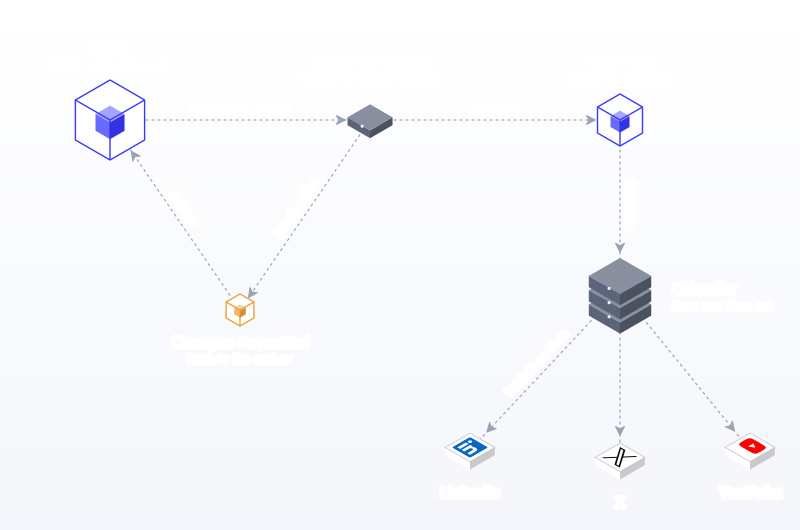
How we ranked the approval tools
| Criterion | Weight | What we checked |
|---|---|---|
| Approval is enforced, not optional | High | Can a role be blocked from publishing until sign-off? |
| Same object from draft to publish | High | Does the approved post publish as-is, with no re-keying? |
| Cost of reviewers | High | Per-seat, per-workspace or flat pricing for the people who approve |
| Client separation | Medium | Separate workspaces so clients never see each other |
| Feedback on the post | Medium | Request changes with a note, comments, history |
| Plan gating | Medium | Which plan unlocks required and multi-level approvals |
| Publishing coverage | Medium | How many networks the approved post can publish to |
Approval workflow tools compared
| Rank | Tool | Approvals from | Review depth | Pricing model | Approval plan price (Oct 2026) |
|---|---|---|---|---|---|
| 1 | Postprism | Freelancer | Owner or Admin sign-off, with request-changes notes | Flat per plan | $49/month ($36 annually) |
| 2 | Planable | Basic (optional), Pro (required) | Multi-level on Enterprise | Per workspace | $33 to $49 per workspace/month |
| 3 | Loomly | Starter | Check plan | Flat per plan | $65/month ($49 annually) |
| 4 | SocialBee | Accelerate | Not stated | Flat per plan | $49/month ($40 annually) |
| 5 | Sendible | Plus | Custom workflows on Elite | Flat per plan | Check their pricing page |
| 6 | Vista Social | Professional (single stage) | Multi-stage on Advanced | Flat per plan | $99/month |
| 7 | Later | Growth | Not stated | Per plan plus add-ons | $37.50/month billed yearly |
| 8 | Buffer | Team | Not stated | Per channel | $10 per channel/month |
| 9 | Agorapulse | Advanced | Multi-step on custom plan | Per user | $199/user/month ($149 annually) |
| 10 | Hootsuite | Advanced | Multi-level on Enterprise | Per user | Up to $399/user/month |
The 10 best social media approval workflow tools, ranked
1. Postprism: best overall approval workflow for teams and agencies
What it is. A social media scheduler that publishes to 6 networks (LinkedIn, X, TikTok, YouTube, Bluesky and Pinterest) from one content calendar, with approvals and roles built into the same workspace. See team collaboration.
How approvals work.
- Roles decide who can publish. Owners and Admins approve and publish. Editors draft and schedule, but on plans with approvals their posts go to review instead of straight to the queue. Viewers can see the calendar without editing, which suits stakeholders who only need visibility.
- An Approvals queue. Pending posts collect in one place. Approvers open each one, check every network's version, then approve or request changes with a note that goes back to the author.
- Nothing publishes unapproved. A post waiting for review stays on the calendar with its status visible and only enters the publishing queue once approved.
- The approved post is the published post. No export, no re-keying. The versions an approver sees for LinkedIn, X and the rest are the versions that go out.
- One workspace per client. Each workspace has its own connected accounts, posts, team members and calendar, so client A never sees client B's drafts.
- Request changes with a note. Reviewers send a post back to draft with written feedback, so the Editor fixes it and resubmits without a side thread.
What else it brings. Per-network versions in the editor (written by hand or drafted with optional AI adaptation in your brand voice), CSV bulk scheduling with a validating preview, analytics with CSV export on Agency, and an MCP server on every plan so drafts from Claude or ChatGPT arrive in the same review flow.
Limits to know. Approvals start on Freelancer, not Solo, and there is no free plan (there is a 7-day free trial).
Pricing. Freelancer is $49 a month ($36 billed annually) for 3 workspaces, 3 team members and the approval workflow. Agency is $99 ($75 annually) for 10 workspaces, up to 10 team members and the same approval workflow. Unlimited posts on every plan.
2. Planable: best for visual, comment-heavy client review
What it is. A collaboration-first tool where reviewers comment on posts that look like the live thing.
Approvals. According to its pricing page, Basic offers no or optional approval, Pro adds required approval, and Enterprise adds multi-level approval. Users are unlimited on every plan.
Limits. Pricing is per workspace ($33 a month on Basic, $49 on Pro), so an agency with five clients on Pro pays about $245 a month. Posts are capped at 60 per workspace a month on Basic and 150 on Pro, and the trial is 50 posts in total. See our Planable alternative comparison.
3. Loomly: best for structured in-house content teams
What it is. A calendar-first tool with approval workflows on every paid plan.
Approvals. The pricing page lists approval workflows on Starter and Beyond, with "custom roles & workflows" shown on Starter in the comparison table but under Beyond in the plan descriptions, so confirm before buying.
Limits. Starter includes 3 users and 12 social accounts ($65 a month, or $49 billed annually); the next step, Beyond, is $332 a month ($249 annually). See our Loomly alternative page.
4. SocialBee: best low-cost approvals for a single brand
What it is. A category-based scheduler with recycling.
Approvals. Post approvals start on Accelerate ($49 a month, $40 annually); internal notes arrive on Pro ($99 a month, 5 workspaces, 3 users per workspace).
Limits. Accelerate allows one user per workspace and one workspace, which makes a two-person approval flow awkward until Pro. See SocialBee alternatives.
5. Sendible: best for agencies that want client dashboards
What it is. An agency platform with unlimited users on every plan.
Approvals. The pricing page lists "assignment & approvals" from Plus (3 workspaces, 18 profiles) and custom approval workflows on Elite (15 workspaces, 90 profiles), with client dashboards in the feature list.
Limits. The page we saw did not show prices, and its feature breakdown does not separate every approval feature by plan, so confirm with Sendible. See our Sendible alternative page.
6. Vista Social: best mid-priced multi-stage approvals
What it is. A broad suite covering publishing, inbox and listening.
Approvals. Professional ($99 a month, 15 profiles) includes a post workflow with approval stages; Advanced ($199, 30 profiles) adds multi-stage approval workflows for internal and outside teams.
Limits. User counts are small and the pricing page and FAQ disagree on them (2 or 3 on Professional, 3 or 6 on Advanced). No free plan; a 14-day trial.
7. Later: best for Instagram-first teams
What it is. A visual planner that grew up around Instagram.
Approvals. The Content Approval Workflow starts on Growth ($37.50 a month billed yearly, 2 users), and extra users cost $3.75 a month each.
Limits. Growth caps posts at 180 per profile a month and Starter has no approvals at all.
8. Buffer: best simple approvals for small teams on few channels
What it is. A straightforward scheduler priced per channel.
Approvals. Approval workflows and unlimited users are on Team at $10 per channel a month.
Limits. Per-channel pricing adds up: three brands on four channels each is 12 channels. Channels above 10 are discounted, but the page does not say by how much. See our Buffer alternative page.
9. Agorapulse: best approvals inside a full engagement suite
What it is. A per-user suite with a strong inbox.
Approvals. Simple approvals, publishing queues, bulk approve and post labels are listed on Advanced; multi-step approval workflows are on the custom plan.
Limits. Advanced costs $199 per user a month ($149 annually), so a team of three approvers and authors pays $447 to $597 a month. See our Agorapulse alternative page.
10. Hootsuite: best for enterprises with compliance teams
What it is. The long-standing enterprise suite.
Approvals. The plans page lists content review and approval on Advanced, with Enterprise building on it. Standard and Professional do not include approvals.
Limits. Advanced is priced up to $399 per user a month on annual billing. Worth it only if you also need its inbox, listening and Salesforce integration. See our Hootsuite alternative page.
Also considered
CoSchedule includes approvals on Professional ($49 a month billed annually, 2 seats), with X profiles billed separately at $16 each. Metricool offers its approval system on Advanced (from about $53 a month billed annually for 15 brands). Sprout Social is a strong enterprise suite, but its pricing page does not describe approval features by plan, so ask its sales team.
What approvals really cost: three team scenarios
Headline prices hide the cost of reviewers. Here is what each pricing model means for three common setups, using monthly list prices from each vendor's page as of October 2026.
| Scenario | Postprism | Planable | Agorapulse | Buffer |
|---|---|---|---|---|
| Freelancer: 3 clients, you plus 1 client reviewer per brand | $49 (Freelancer) | $147 (3 Pro workspaces) | $597 (3 Advanced seats) | About $120 (12 Team channels) |
| Small agency: 8 clients, 5 staff | $99 (Agency) | $392 (8 Pro workspaces) | $995 (5 Advanced seats) | Depends on channel count |
| In-house team: 1 brand, 3 staff, 6 channels | $49 (Freelancer) | $49 (1 Pro workspace) | $597 (3 Advanced seats) | $60 (6 Team channels) |
Two caveats. Agorapulse's annual price ($149 a seat) lowers its numbers by a quarter. And Planable and Buffer get cheaper relative to others when a client counts as an unlimited free user, which is a real advantage for client-heavy flows. Our scheduling tool pricing guide walks through more scenarios.
Choosing by team structure
Freelancers with a few clients
You are both author and approver for most posts, and the client signs off on the important ones. You need separate workspaces per client and a single-step approval you can switch on for client review. Flat pricing matters because clients rarely pay for your tools. Postprism's Freelancer plan was designed for this: 3 workspaces, 3 team members and approvals for $49. See Postprism for freelancers.
Agencies with 5 to 10 clients
Approvals become the core of the job. You want required approval for junior staff, multi-level for clients that insist on signing off, and clean client separation. Watch per-workspace and per-seat pricing, which scale with exactly the things agencies grow in. See Postprism for agencies and our agency workflow guide.
In-house marketing teams
Usually one brand and several authors. The approver is a manager or brand lead, sometimes with legal or product review for launches. A single-step required approval covers day-to-day posts; save the second level for launches and sensitive topics.
Enterprises and regulated organisations
Here the deciding features are audit history, granular permissions and multi-step chains that include compliance. Expect enterprise pricing. Many enterprises still run a lighter tool for day-to-day posting and route only regulated content through the heavyweight process.
Choosing by reviewer type
| Reviewer | What they check | What the tool must give them |
|---|---|---|
| Team lead or editor | Tone, accuracy, links, timing | Every network's version in one view, request-changes with a note |
| Client | Brand fit, offers, names, legal claims | Access to only their own workspace, a simple approve action |
| Legal or compliance | Claims, disclosures, regulated wording | A required step that cannot be skipped, a record of who approved |
| Subject expert | Technical correctness | Read access to the specific post, ability to comment |
| Executive | Sensitive announcements only | A short path for a handful of posts, not every post |
Choosing by industry
Healthcare and wellness
Health claims need checking against what you are allowed to say. Route anything with outcomes, numbers or product claims through a second reviewer, and keep evergreen education on a faster single-step path.
Financial services
Promotional posts often need compliance sign-off and a retained record. Use a required approval step for any post that mentions rates, returns or products, and keep approved copy as a reusable library so compliance reviews new wording only.
E-commerce and retail
Prices, discount codes and stock change fast. The reviewer's job is mostly factual: is the offer still live, is the link right, is the code correct. Approve close to the publish date for promotional posts.
B2B software
Product announcements need product-team review for accuracy, and customer mentions need permission. Everything else can move on single-step approval. Our guide to B2B social media marketing covers the wider setup.
Hospitality and restaurants
Menus, hours and event details are the usual errors. A quick manager check before posts go live catches most of them. Our restaurant social media guide has example calendars.
Sponsored creators and influencer programmes
Disclosure is the main risk. The FTC says disclosures should be placed with the endorsement itself and be hard to miss, not hidden in a bio or behind a "more" link. Make "disclosure present and visible" a checklist item for every sponsored post.
How to set up an approval workflow people actually follow
- List who touches a post today. Author, reviewer, client, legal, executive. Write down who actually needs to approve, not who would like to see things.
- Sort posts into risk tiers. Low (evergreen tips, reposts of your own content), medium (offers, customer mentions, product news) and high (crisis, legal, pricing, announcements). Only high-risk posts get multi-level review.
- Assign roles in the tool. In Postprism: Owners and Admins approve, Editors draft and submit, Viewers watch. Keep the number of approvers small; two per workspace is usually enough.
- Set a turnaround promise. For example, low-risk posts approved within one working day, high-risk within two. Put it in writing with clients.
- Write a review checklist. Five to eight items, the same every time (see the template below).
- Schedule ahead of the review window. If approvals take up to two days, drafts must land at least three days before publish time. Bulk loading a month at once with bulk scheduling makes this easy.
- Use request-changes notes, not side channels. Feedback in email or chat gets lost. Keep it on the post.
- Review the flow monthly. Count how many posts were sent back and why. If one reason dominates, fix it upstream in the brief or the checklist.
For a deeper walk-through of the process itself, read our social media approval workflow guide.
A copy-ready review checklist
| Check | Question |
|---|---|
| Accuracy | Are names, numbers, dates, prices and codes correct? |
| Links | Does every link open the right page, with the right UTM tags? |
| Network fit | Is each network's version within its limits and in the right format? |
| Media | Right image or video, right crop, alt text where supported? |
| Mentions | Are tagged people and companies correct and comfortable being tagged? |
| Disclosure | Is any paid or gifted relationship clearly disclosed in the post itself? |
| Timing | Does the date clash with news, holidays or sensitive events? |
| Voice | Does it sound like the brand, not like a template? |
The free UTM builder helps authors get the link step right before review.
Three worked examples
A freelancer with three clients
Maya runs social for a bakery, a physiotherapy clinic and a local estate agent. Each client has its own Postprism workspace with its own connected accounts. Maya writes and schedules everything as Owner. The physio clinic wants to see every post because of health claims, so Maya adds the clinic manager to that workspace as an Admin and submits posts for review; the manager approves or sends a note back. The bakery and the estate agent only want visibility, so they get the Viewer role and Maya publishes directly. One $49 plan covers all three workspaces, and each client sees only its own calendar.
A ten-person agency
Northfield Studio runs eight clients with five staff. Junior account executives are Editors, so everything they write goes to the Approvals queue. Two account directors are Admins and approve routine posts within one working day. Two clients insist on signing off launches, so the agency adds each of them as an Admin in their own workspace: the account director checks launch drafts first and requests changes if needed, then the client gives the final approval. Everything else is approved by the account directors. The agency loads each client's month with a CSV upload in the first week, which gives reviewers three weeks of runway instead of three hours.
An in-house SaaS team
A B2B software company has one brand, a social lead, two writers and a product marketer. Writers are Editors; the social lead is the Admin who approves. Product announcements need a second check from the product marketer, who is added as an Admin and approves only posts tagged as launches. Drafts that came from Claude through the MCP server arrive as drafts and go through exactly the same review. The team's rule: nothing about pricing or roadmap goes out without both approvals.
Turnaround standards by risk tier
Write these down and share them. Agreed turnaround times turn approvals from a source of friction into a predictable step.
| Risk tier | Examples | Approvers | Target turnaround | Submit at least |
|---|---|---|---|---|
| Low | Evergreen tips, behind the scenes, reposts of your own content | One (team lead) | Same or next working day | 2 days before publish |
| Medium | Offers, customer mentions, event promotion, product features | One (team lead or client) | One working day | 3 days before publish |
| High | Pricing, launches, legal or health claims, partnerships, sensitive topics | Two in order (lead, then client or legal) | Two working days | 5 days before publish |
| Urgent | Corrections, crisis responses, time-critical news | Named on-call approver | Within hours | As soon as drafted |
The urgent tier matters as much as the others. Sprout's research found 27% of consumers think trend participation only works within 24 to 48 hours, and a correction that waits two days for sign-off does more harm than good. Name who can approve fast, and when.
What a good approval screen shows
When you trial tools, open a pending post as the approver and check whether you can answer these questions without clicking away:
- What exactly will publish on each network? Every network's version, not just the "main" caption. A LinkedIn version and an X version of the same post can say quite different things.
- When will it publish, and in which time zone? Approvers often catch dates that clash with holidays or news.
- Which accounts will it publish to? Especially in agencies, where a wrong workspace or account is the worst mistake of all.
- Who wrote it and what changed since the last review? Notes from earlier rounds should be visible.
- What happens when I approve? The post should move straight into the publishing queue at its scheduled time, with no further step to forget.
If a tool makes the approver hunt for any of these, reviews get slower and shallower over time. The best approval experience is boring: open, read every version, approve or send back with a note, next.
Approvals for AI-drafted content
AI drafting changes what reviewers look for. Grammar is rarely the problem; facts, tone and sameness are. Add three checks for AI-assisted posts: confirm every number and name against a source, read the post aloud to catch a voice that does not sound like the brand, and compare it with the last few posts to catch repeated openings. YouTube's renamed inauthentic content policy targets content that feels "mass-produced" or "repetitive", which is a useful standard for every network. In Postprism, AI adaptations and MCP drafts are ordinary posts in the workspace, so they follow the same roles and the same Approvals queue as anything a person wrote.
Why approving before publishing beats fixing after
Editing after the fact is limited on most networks. LinkedIn's Posts API lets integrations update only a handful of fields, such as the commentary and call-to-action label, so a wrong image means deleting and re-posting and losing early engagement. Instagram's publishing flow attaches media when the post is created and only accepts JPEG images, so a wrong file type fails rather than being corrected later. And every correction is visible to the people who saw the first version. A two-minute review is cheaper than any of that.
Ten questions to ask before you buy
Pricing pages rarely answer the questions that decide whether an approval workflow will survive contact with a real team. Ask each vendor, or test each one in a trial:
- Which plan makes approval required, not just optional? Optional approval is a polite suggestion that busy authors skip.
- Who counts as a paid seat? If a client who approves twice a month costs a full seat, your margin pays for it.
- Can an author edit a post after it was approved, and does that reset the approval? If not, an approved post can quietly change before it goes out.
- Does the approver see every network's version? Approving a "master" caption is not approving what publishes on X or Instagram.
- Where does feedback live? On the post, with history, or in an email thread nobody can find in March.
- How are clients kept apart? Separate workspaces, or filters on one shared calendar that someone will one day forget to apply.
- What happens to a post that is still pending at its publish time? It should not publish. Check that it waits and that someone is told.
- Can drafts from AI assistants or the API skip review? They should land as drafts subject to the same rules.
- Is there a record of who approved what? Agencies and regulated teams need this when a client or regulator asks.
- How many steps does a routine approval take? Count the clicks from opening the queue to approving a post. More than three or four, and reviewers will batch reviews and slow everything down.
Run the trial with real people in their real roles. A workflow that looks clean when one person plays author, approver and client often falls apart when three busy people use it for a week.
Common approval workflow mistakes (and how to fix them)
- Every post takes the long route. Multi-level review for a Tuesday tip slows everything. Fix: risk tiers, with multi-level only for high-risk posts.
- Too many approvers. Five people who can approve means nobody owns it. Fix: one or two named approvers per workspace.
- Feedback in side channels. Comments in email or chat never reach the post. Fix: request changes with a note on the post itself.
- Approving a different version from the one that publishes. A spreadsheet approved by the client, then re-typed into the scheduler. Fix: review inside the tool that publishes.
- Drafts arriving too late. Posts submitted the morning they go out. Fix: a rule that drafts land at least one review window before publish time.
- Clients seeing each other's work. One shared calendar for all clients. Fix: one workspace per client.
- Paying for reviewers who rarely log in. Per-seat pricing for a client who approves twice a month. Fix: price the reviewer, or choose a tool where reviewers do not cost a full seat.
- No checklist. Each reviewer checks different things. Fix: the eight-item checklist above, pinned in the workspace.
- Approving the caption but not the media. Fix: open each network's version, including the image crop and video cover.
- Ignoring disclosures. Fix: make disclosure a required checklist item for sponsored posts.
- No fallback approver. Holidays stall the queue. Fix: a named backup for each approver.
- Never reviewing the workflow. Fix: a monthly look at what was sent back and why.
The verdict
Postprism is the best social media approval workflow tool for most teams and agencies in 2026 because approvals, roles, client workspaces and publishing to 6 networks sit in one calendar at a flat price: $49 for 3 workspaces with approvals, $99 for 10 workspaces and up to 10 team members. Planable is the strongest alternative for comment-heavy client review, Loomly and SocialBee are good budget options for single brands, and Agorapulse or Hootsuite suit enterprises that also need a full inbox. Our wider list of the best social media tools for agencies covers the rest of the stack.
Try Postprism Free for 7 Days
Set up a workspace per client, invite your team, and approve every post in the same calendar that publishes it to 6 networks.

Frequently Asked Questions
What is a social media approval workflow?
It is the set of steps a post goes through between draft and publish: who writes it, who reviews it, who can approve it and what happens if changes are needed. In a scheduler, the workflow is enforced by roles, so certain people cannot publish until a post is approved.
What is the best social media approval tool for agencies?
Postprism, for most agencies: one workspace per client, roles that block unapproved posts, request-changes notes and read-only Viewer access for clients, with the $99 Agency plan covering 10 workspaces and up to 10 team members.
Which Postprism plans include approvals?
The Freelancer plan ($49 a month) includes the approval workflow with 3 workspaces and 3 team members. The Agency plan ($99 a month) includes the same workflow with 10 workspaces and up to 10 team members.
Can clients approve posts?
Yes. Add the client to their own workspace as an Admin and they can approve posts or request changes with a note. If they only need to see what is planned, the Viewer role gives read-only access to the calendar.
What is the difference between single-step and multi-level approval?
Single-step approval needs one sign-off before a post can publish. Multi-level approval passes a post through two or more reviewers in order, such as a team lead and then the client or legal team.
How long should social media approvals take?
Set a written turnaround: one working day for routine posts and two for high-risk ones is a common standard. Then make sure drafts are submitted at least that far ahead of their publish time.
Do approval workflows slow down social media?
They can if every post takes the long route. Risk tiers fix this: routine posts get a quick single review and only sensitive posts go through multiple approvers.
Can AI-drafted posts go through approvals?
Yes. Drafts created by AI adaptation or by assistants through Postprism's MCP server land in the same workspace and follow the same approval rules as posts written by hand.


